8.9 C
New York
Saturday, March 7, 2026
Home Blog Page 363

Hackers claim massive breach of company that tracks and sells Americans’ location data

0


When we talk about data privacy, tech giants like Google and Facebook are often blamed for using personal data to show ads and recommendations. Less discussed are the businesses whose entire business model revolves around collecting your data and selling it to other companies and governments. These companies often operate in legal gray areas, with the consent required to collect user data buried deep in the fine print.

What’s even more concerning is that these data brokers fail to adequately protect the data they collect. Last year, National Public Data made headlines for failing to secure 2.7 billion records of individuals whose data it had harvested. Now, hackers have reportedly stolen data from Gravy Analytics, the parent company of Venntel, which has sold vast amounts of smartphone location data to the U.S. government.

I’M GIVING AWAY THE LATEST & GREATEST AIRPODS PRO 2

Enter the giveaway by signing up for my free newsletter.

Hackers claim massive breach of company that tracks and sells Americans' location data

A woman working on her laptop (Kurt “CyberGuy” Knutsson)

What you need to know about the breach

Hackers claim to have breached Gravy Analytics, a major location data broker and parent company of Venntel, a firm known for selling smartphone location data to U.S. government agencies. The compromise is massive, including sensitive location data that tracks precise smartphone movements, customer information and even internal infrastructure, according to a 404 Media report.

The hackers are threatening to make the stolen data public. The files contain precise latitude and longitude coordinates of the phone and the time at which the phone was there. Some even indicate what country the data has been collected from.

Hackers have claimed access to Gravy’s systems since 2018. If true, this represents a serious security lapse on the company’s part. It is baffling how companies that collect and sell user data (a practice that arguably shouldn’t be allowed in the first place) failed to protect it from being leaked.

404 Media also suggests that the hackers gained deep access to the company’s infrastructure, including Amazon S3 buckets and server root access. The exposed customer list reportedly includes major companies like Uber, Apple and Equifax as well as government contractors like Babel Street.

Hackers claim massive breach of company that tracks and sells Americans' location data

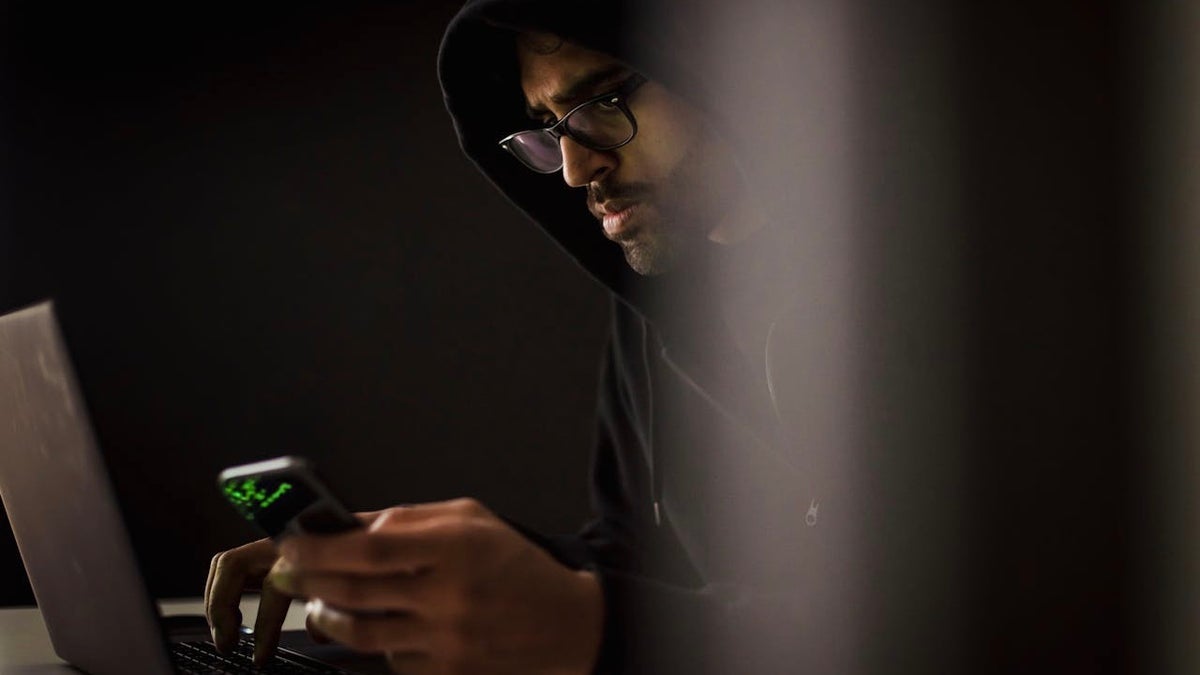
A hacker (Kurt “CyberGuy” Knutsson)

HERE’S WHAT RUTHLESS HACKERS STOLE FROM 110 MILLION AT&T CUSTOMERS

What this breach means for people

This data breach highlights the serious security flaws in the location data industry. Companies like Gravy Analytics and Venntel have been profiting from collecting and selling sensitive location data, often without proper user consent. They’ve prioritized profit over security, and now the privacy of millions is at risk. This data could end up on black markets, endangering individuals, especially those in vulnerable situations, by making them targets for harassment or worse.

The FTC’s recent crackdown on Gravy, announced in December, underscores their negligence. The proposed order will prohibit these companies from selling or using location data, except in specific cases like national security or law enforcement. The implications are worrying. Sensitive locations like schools and workplaces could become easy targets for those with malicious intent.

Hackers claim massive breach of company that tracks and sells Americans' location data

A person using their cellphone and working on their laptop (Kurt “CyberGuy” Knutsson)

BEWARE OF ENCRYPTED PDFs AS THE LATEST TRICK TO DELIVER MALWARE TO YOU

5 ways to stay safe in the age of data breaches

The Gravy Analytics breach serves as a sobering reminder of the vulnerabilities in the digital age. While it’s impossible to control how every company handles data, you can take steps to minimize your exposure and protect your privacy. Here are five actionable tips to stay safe.

1) Limit app permissions: Many apps request access to location data, contacts and more, even when it’s not necessary for their functionality. Regularly review the permissions for apps on your smartphone and revoke access to anything that feels excessive. For instance, a weather app doesn’t need access to your microphone or camera.

2) Use a VPN: Virtual private networks (VPNs) can mask your IP address and encrypt your internet activity, making it harder for data brokers and hackers to track your online behavior. A good VPN adds an extra layer of security, especially when using public Wi-Fi networks. For the best VPN software, see my expert review of the best VPNs for browsing the web privately on your Windows, Mac, Android and iOS devices.

3) Opt out of data sharing where possible: Some companies allow you to opt out of having your data collected or shared. Services like Your Ad Choices and privacy settings within platforms like Google can help you reduce the amount of data collected. Check for opt-out options with any apps or services you use frequently.

4) Avoid free apps that monetize data: Free apps often generate revenue by selling user data. Instead, consider paid versions of apps that explicitly prioritize privacy. Research the company behind the app to understand its data handling policies before downloading.

5) Invest in data removal services: Data removal services can help you regain some control over your personal information by identifying and removing it from people-search websites, data broker platforms and other online databases. Check out my top picks for data removal services here.

WHAT TO DO IF YOUR BANK ACCOUNT IS HACKED

Kurt’s key takeaway

Companies that collect and sell user data pose a significant threat to privacy, and when they fail to protect this data, it often ends up in the hands of even worse actors. Cybercriminals, and even some governments, can exploit this information to target individuals. It is crucial to implement stringent repercussions for these companies when they fail in their duty to safeguard user data. A mere slap on the wrist is not enough. We need real accountability to deter negligence and protect individual privacy rights.

Should companies face stronger penalties for failing to protect personal data? Let us know by writing us at Cyberguy.com/Contact.

For more of my tech tips and security alerts, subscribe to my free CyberGuy Report Newsletter by heading to Cyberguy.com/Newsletter.

Ask Kurt a question or let us know what stories you’d like us to cover.

Follow Kurt on his social channels:

Answers to the most asked CyberGuy questions:

New from Kurt:

Copyright 2024 CyberGuy.com. All rights reserved.



Source link

Major US city’s latest tourist tax hike could affect hotel guests: Travel expert weighs in

0

A new Michigan bill has been passed to raise the tourist tax in an effort to grow the state’s tourism marketing programs.

House Bill 6166 moves to raise taxes applied to hotel/motel and bed and breakfasts (with at least 35 rooms) on guest bills. 

Beginning Jan. 1, through Dec. 31, 2030, the tax will jump from 2% to 3.5% with a planned increase to 4% on Jan. 1, 2031.

TRAVELERS MAY FACE YET ANOTHER ‘TOURIST TAX’ WHEN VISITING CERTAIN CITIES

State Representative Tyrone Carter, who introduced the bill, told Fox News Digital that the money raised will go to Visit Detroit. 

A new bill has passed in Michigan that would allow hotels to raise their tourism tax to 3.5%.  (iStock)

Carter also said it’s important to note that this is an “opt in” opportunity for hotels. 

“To go up 1% when you’ve been at 2% for the last 20, 30 years, I don’t think is unreasonable when you look at everything that has taken place,” said Carter.

CLICK HERE TO SIGN UP FOR OUR LIFESTYLE NEWSLETTER

He added, “it’s not going toward anything other than promoting the [Detroit] area… and all of the things that we have to offer and that takes money to advertise.”

NFL draft Detroit, Michigan

Last April, Detroit attracted more than 775,000 visitors for the NFL draft. (AP Photo/Paul Sancya)

“I thought it was great, especially after the success of the NFL draft, to have so many people from all around the country come here and just get that new perspective, an idea of what Detroit looks like,” said Carter.

More than 775,000 people visited the Detroit area last April for the NFL draft, according to Visit Detroit. 

“We’re never going to make everybody happy. But I think that 1% and opt in is also the thing. If you don’t want to join, you don’t have to. It’s not mandatory,” Carter shared.

For more Lifestyle articles, visit foxnews.com/lifestyle

Michelle Bork, vice president of Travelmation, told Fox News Digital that she is concerned about the tourist tax increase.

Detroit skyline

Michigan State Representative Carter told Fox News Digital the funds will go to promoting tourism in the Detroit area. (Roberto Machado Noa/LightRocket)

“I lived in Michigan for 27 years and would regularly travel to various beautiful destinations around the state,” said Bork.

She added, “By increasing the tourism tax, you are basically charging people who already live there to visit their own state.”

CLICK HERE TO GET THE FOX NEWS APP

“Most people who visit Michigan are from the state or the surrounding areas. If it becomes cheaper to visit other places, the state of Michigan could lose visitors and revenue which would be heartbreaking to local businesses,” said Bork.

The bill is currently with Governor Gretchen Whitmer waiting to be signed into law.

First 15 things to do or try first when you get a new iPhone

0


Apple announces new iPhones every year, and I often wonder if that’s truly necessary. A launch every two years seems more reasonable, especially since the new iPhones are often only marginally better than the ones released the year before. This has been the case since the iPhone 12. 

However, in 2024, Apple introduced a range of interesting features with the iPhone 16. While these features don’t necessarily justify an upgrade if you already own the iPhone 15 or even the iPhone 14, they make the iPhone 16 a worthy purchase if you’re using an older model or an Android phone.

If you’ve already made the purchase, or if you’ve bought another iPhone, here are the first things you should do and try when you fire up your new phone. (First things to do if you got a new Android)

I’M GIVING AWAY THE LATEST & GREATEST AIRPODS PRO 2

Enter the giveaway by signing up for my free newsletter.

First 15 things to do or try first when you get a new iPhone

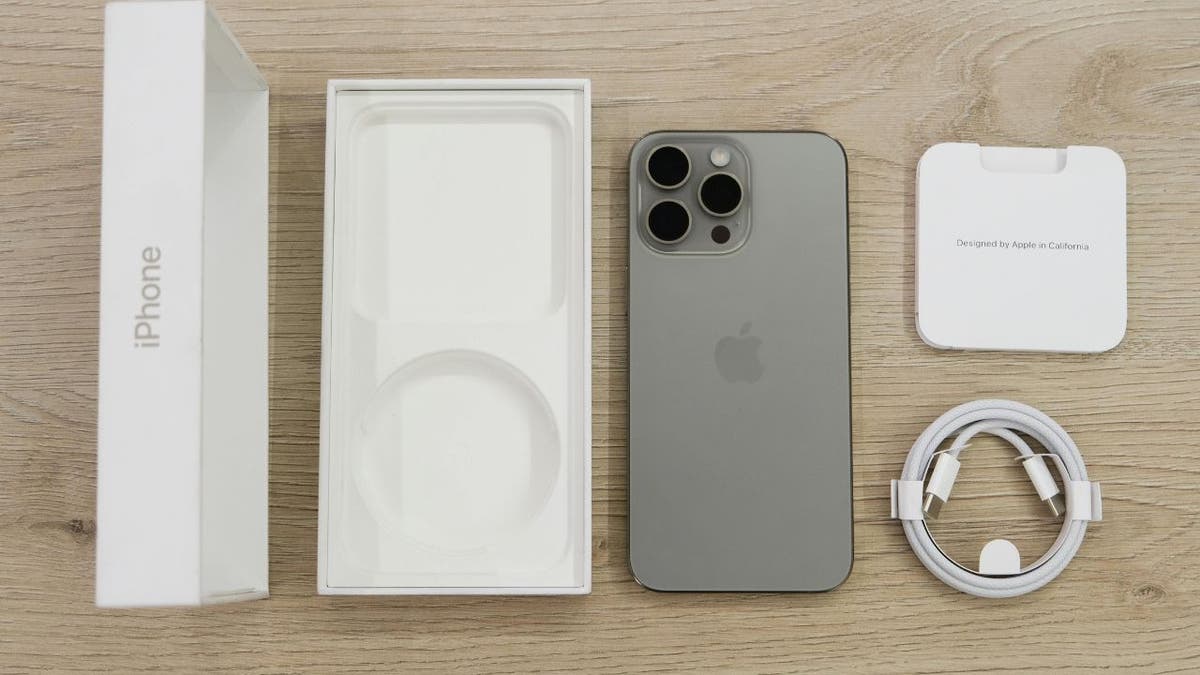
iPhone packaging (Kurt “CyberGuy” Knutsson)

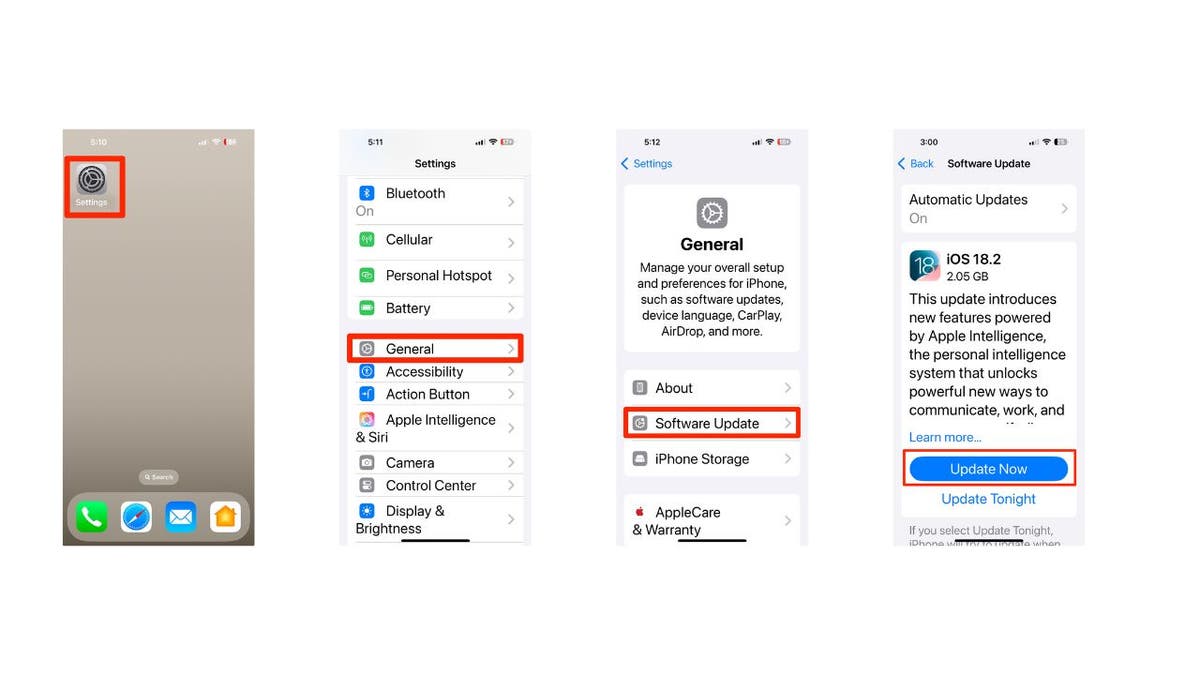
1) How to update your software to iOS 18.2 or later

First things first, let’s update your software to iOS 18.2 or later:

  • Open Settings
  • Tap General
  • Select Software Update
  • Tap Update Now
  • Enter your passcode and agree to terms
  • Wait for the installation to complete
First 15 things to do or try first when you get a new iPhone

Steps to update your iPhone’s software (Kurt “CyberGuy” Knutsson)

HOW TO PROTECT YOUR IPHONE, IPAD FROM MALWARE

2) How to add a passcode or biometric authentication

To add a passcode or biometric authentication to your new iPhone after updating to iOS 18.2 or later, follow these steps:

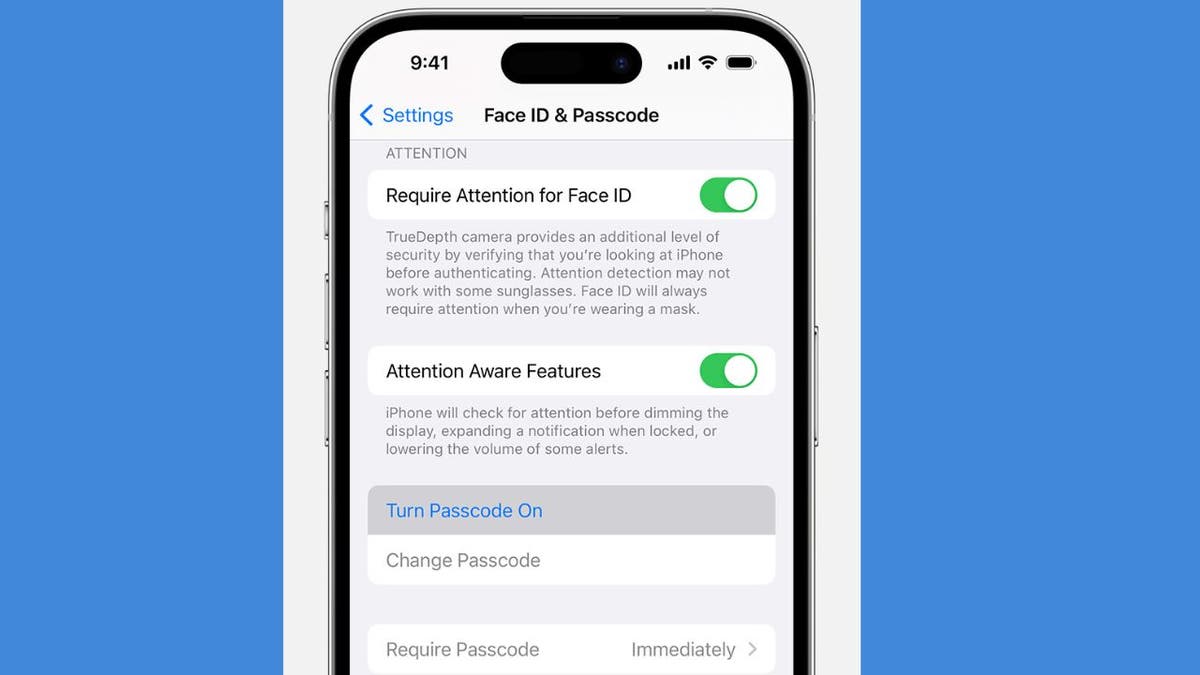
Setting up a passcode

  • Open Settings on your iPhone
  • Tap on Face ID & Passcode (for iPhone X and later) or Touch ID & Passcode (for earlier models)
  • Tap Turn Passcode On
  • Enter a six-digit passcode. If you prefer, tap Passcode Options to choose a four-digit numeric code, a custom numeric code or a custom alphanumeric code.
  • Re-enter your passcode to confirm it and activate it

Setting up biometric authentication

For Face ID:

  • Go to Settings
  • Tap on Face ID & Passcode
  • Enter your passcode, if prompted
  • Tap on Set Up Face ID
  • Hold your device in portrait orientation and position your face in front of the device, then tap Get Started.
  • Follow the on-screen instructions to complete the setup
First 15 things to do or try first when you get a new iPhone

Face ID & Passcode on iPhone (Kurt “CyberGuy” Knutsson)

IS IT TIME FOR ME TO UPGRADE TO NEW IPHONE?

3) Setting up Apple ID and iCloud

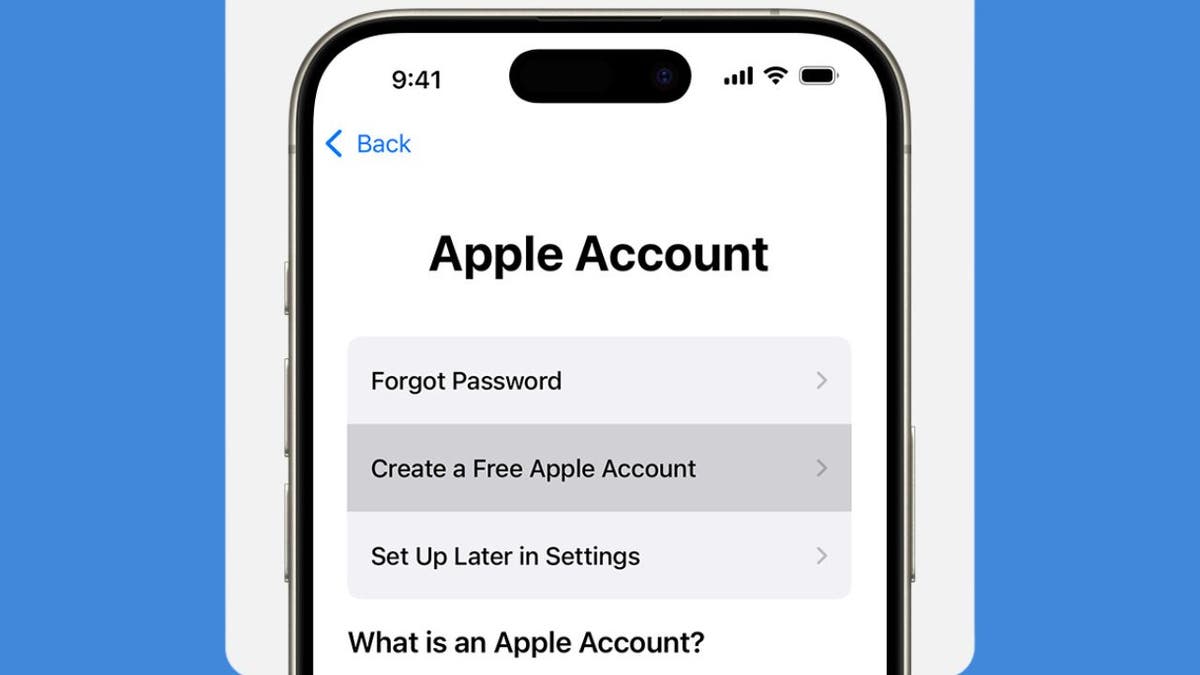
Create or sign in to Apple ID:

  • Open the Settings app
  • Tap on Sign in to your iPhone at the top
  • If you don’t have an Apple ID, select Don’t have an Apple ID or forgot it? and follow the prompts to create one.
  • If you have an Apple ID, enter your credentials and sign in.

Enable iCloud:

  • After signing in, go back to Settings
  • Tap on your name at the top, then select iCloud
  • Choose which services you want to enable (e.g., Photos, Contacts, Calendars)
  • Tap iCloud Backup and toggle it on to automatically back up your data.
First 15 things to do or try first when you get a new iPhone

Create a Free Apple Account on iPhone (Kurt “CyberGuy” Knutsson)

MUST TURN-OFF PRIVACY SETTINGS ON YOUR IPHONE

4) Personalizing settings on iPhone

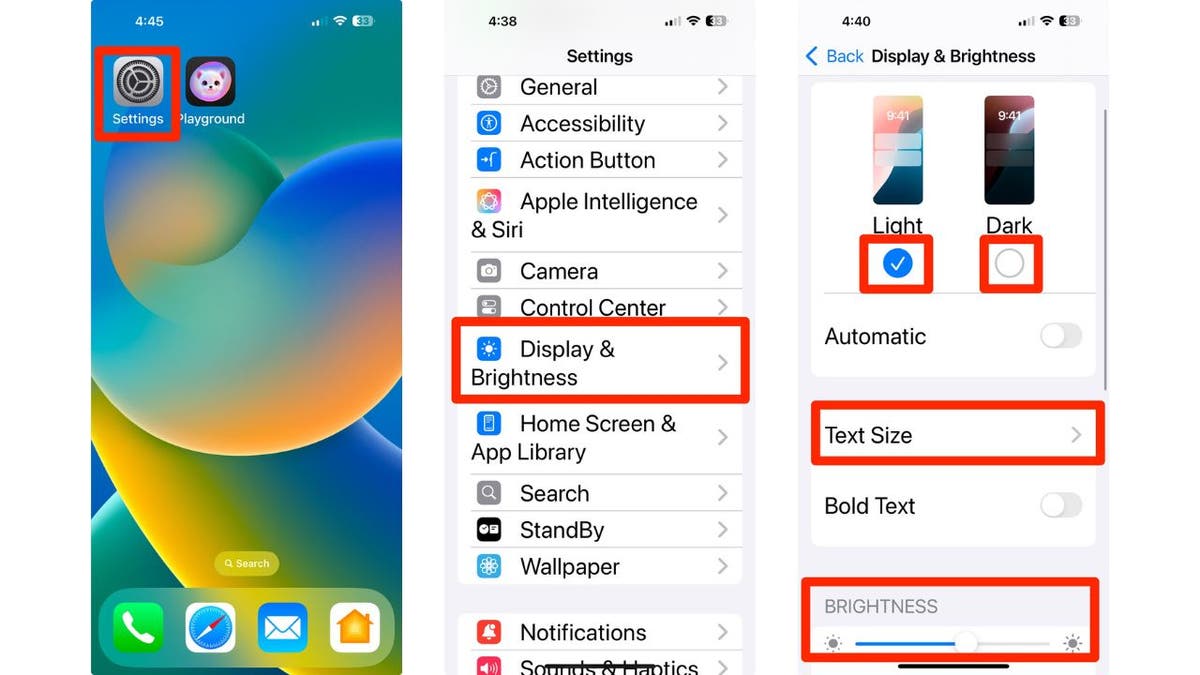
Customize Display:

  • Open Settings
  • Then go to Display & Brightness
  • Tap Light or Dark for the background you’d like
  • You can tap on Text Size to adjust text size
  • Then use the slider to adjust the brightness you prefer.
First 15 things to do or try first when you get a new iPhone

How to personalize your iPhone’s display and brightness (Kurt “CyberGuy” Knutsson)

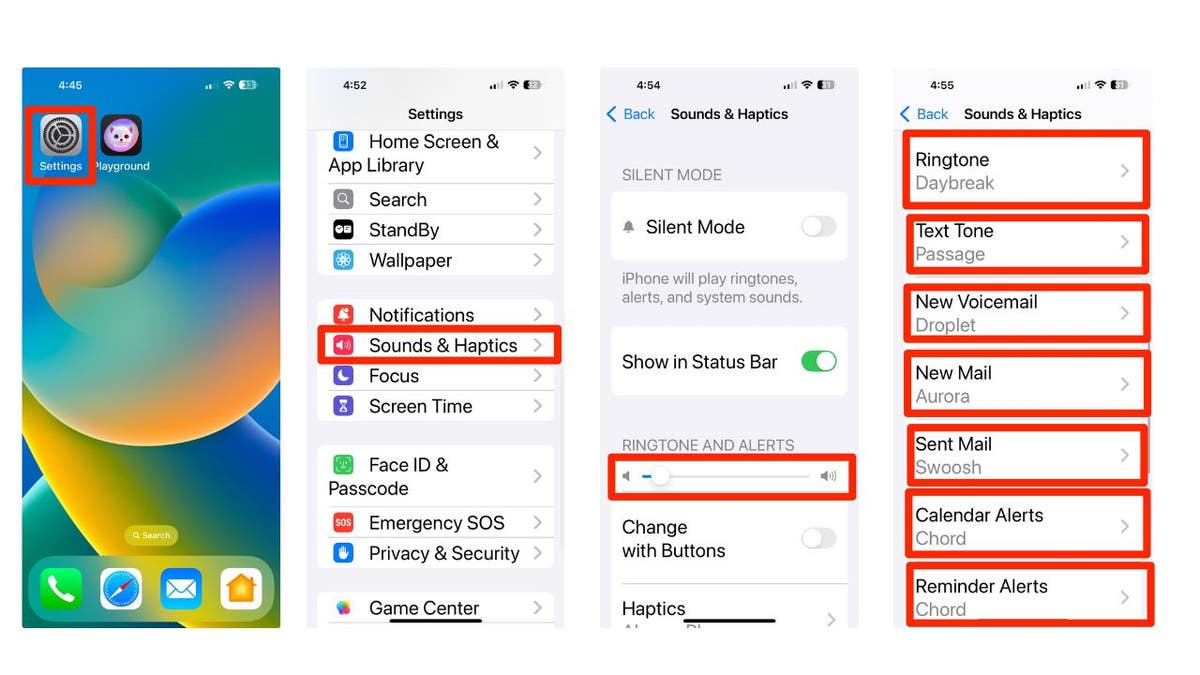
Customize sound preferences:

  • Tap on Sounds & Haptics
  • Adjust the slider where it says Ringtone and alerts to customize from quieter to louder.
  • Scroll down and tap the following to adjust the sounds for each: Ringtone, Text Tone, New Voicemail, New Mail, Sent Mail, Calendar Alerts and Reminder Alerts.
First 15 things to do or try first when you get a new iPhone

Steps to change your iPhone’s sounds and haptics (Kurt “CyberGuy” Knutsson)

5) Configuring privacy settings

Manage Privacy Settings:

  • Go to Settings 
  • Scroll down and click apps
  • Select the app you want to review the privacy settings for
  • Adjust the permissions as needed for location services, camera, microphone, allow tracking and other settings. Adjust as necessary for individual apps.

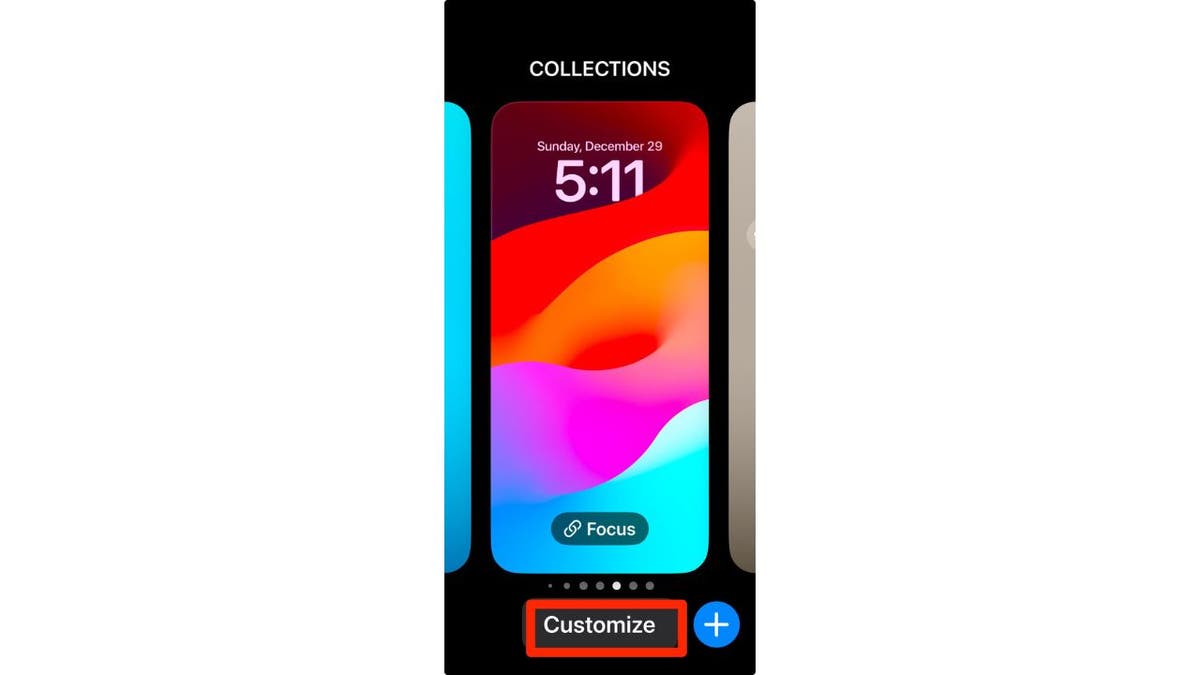
6) Pick your own lock screen shortcuts

By default in iOS 18, you get flashlight and camera shortcuts on the lock screen, but now you can finally customize them. 

  • Long-press on the Lock Screen
  • Tap Customize
  • Then choose Lock Screen
  • You can tap on the existing shortcuts to change them to your preferred apps or features by selecting the desired app or feature from the list that appears.
  • If you prefer, you can remove them entirely to keep your lock screen clean and simple by tapping the delete or remove option next to the shortcut.
First 15 things to do or try first when you get a new iPhone

Steps to customize your iPhone’s lock screen (Kurt “CyberGuy” Knutsson)

7) Setting up Family Sharing

Here’s how to enable Family Sharing on your iPhone:

  • Open your Settings app
  • Tap your name
  • Go to Family Sharing 
  • Set Up Your Family
  • Press Continue
  • Select family members that you want to invite
  • To create an account for a child, select Create Child Account at the bottom and provide their name and birthday.

8) Download some useful apps

There are millions of apps available, such as Apple Maps, Google Maps and even apps to plan a party in the App Store. To download useful apps on your new iPhone, follow these straightforward steps:

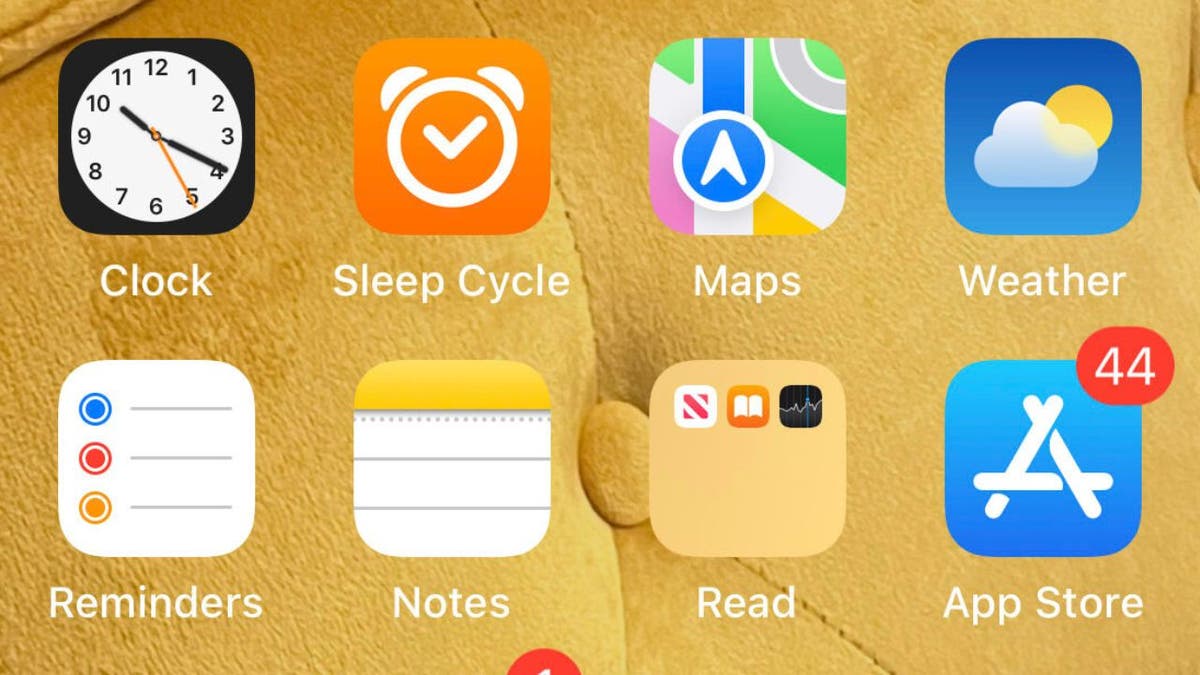
  • Locate the App Store icon on your home screen and tap to open it.
  • You can explore various categories by tapping on Apps at the bottom of the screen or using the Search tab to find specific apps.
  • Once you find an app you want, tap on it to view more details, including descriptions, ratings and screenshots.
  • Tap the Get button (or the price if it’s a paid app) next to the app you wish to download.
  • If prompted, authenticate your download using Face ID, Touch ID or your Apple ID password.
  • The app will begin downloading and installing automatically. You can monitor its progress on your home screen.
  • Once installed, the app will appear on your home screen.
  • Tap its icon to open and start using it.
  • You can press and hold any app icon until they start wiggling, allowing you to drag them into folders or rearrange their positions.
First 15 things to do or try first when you get a new iPhone

Image of the App Store icon on iPhone (Kurt “CyberGuy” Knutsson)

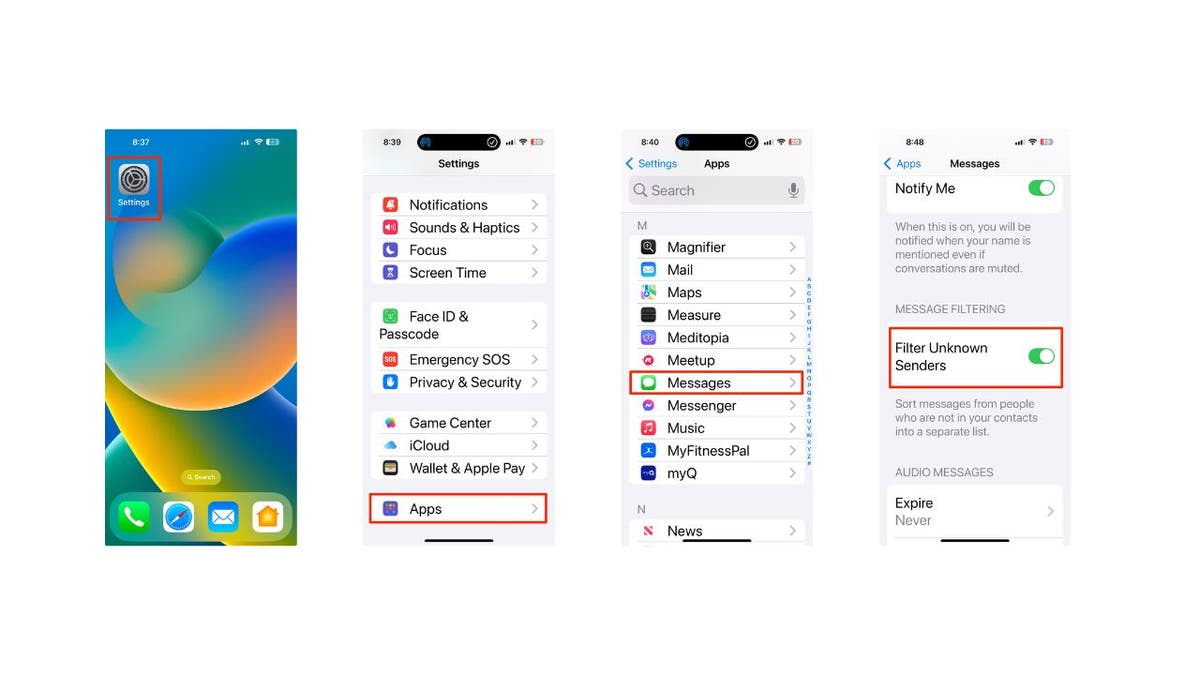
9) Activate spam filters for text messages

Having a strong spam filter on your iPhone is beneficial to protect yourself from unwanted text messages and scams. But beware that this may also filter out some legitimate messages from people who are not in your contacts list.

  • Open Settings 
  • Scroll down and tap on Apps
  • Then, scroll down and tap on Messages 
  • Toggle on Filter Unknown Senders to filter text messages from unknown contacts into a separate list
First 15 things to do or try first when you get a new iPhone

Steps to activate filters for text messages (Kurt “CyberGuy” Knutsson)

10) Use visual intelligence

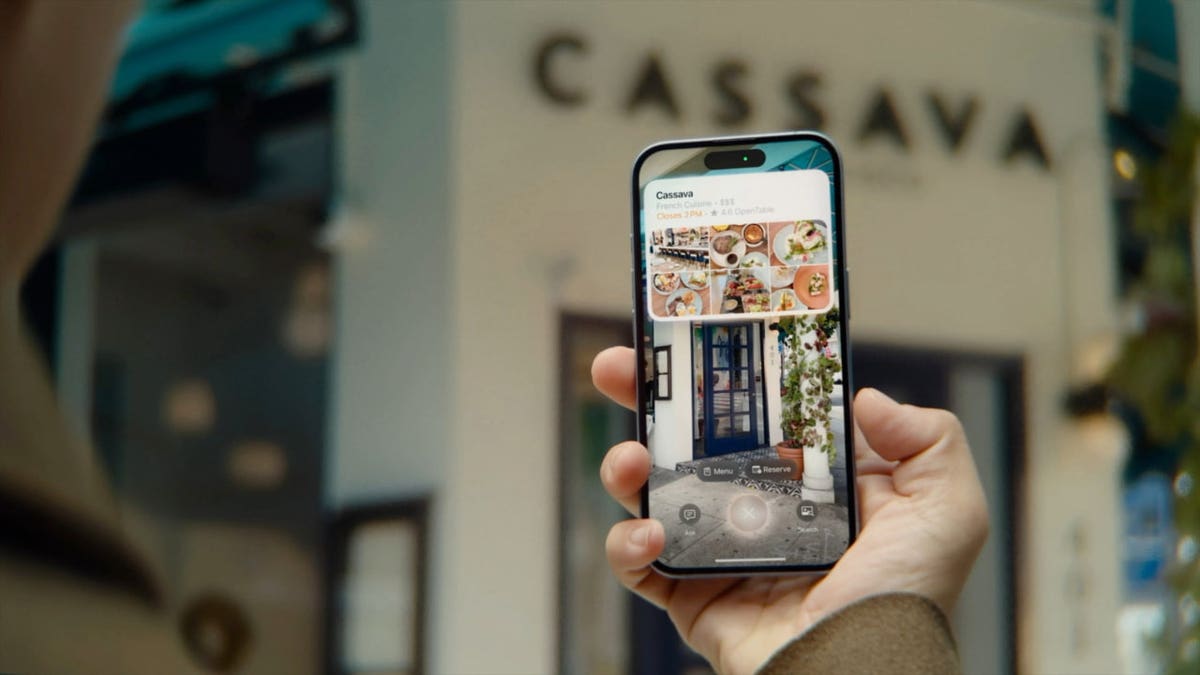
On all iPhone 16 models, you can use Camera Control with visual intelligence to quickly learn more about the stuff around you. Just press and hold the Camera Control, which is a new button on the right side of the device, and you can do things like look up info about a restaurant or business, translate text, get a summary, have it read out loud and more.

You can even use it to find details about a business, like its hours, services and contact info. Depending on the place, you might also be able to check reviews, make a reservation or order for delivery.

To use this feature, point your iPhone camera at the business in front of you, then press and hold the Camera Control. Next, either tap the Camera Control again or select the business name at the top of the screen. Depending on the business, you can:

  • View the hours of operation by tapping Schedule
  • Place a delivery order by tapping Order
  • Browse the menu or available services by tapping Menu
  • Make a reservation by tapping Reserve
  • To call the business, visit its website or access other options, tap the More button.
First 15 things to do or try first when you get a new iPhone

iPhone using visual intelligence (Kurt “CyberGuy” Knutsson)

HOW TO SCHEDULE FREE SESSION WITH APPLE SUPPORT

11) Log how you’re feeling

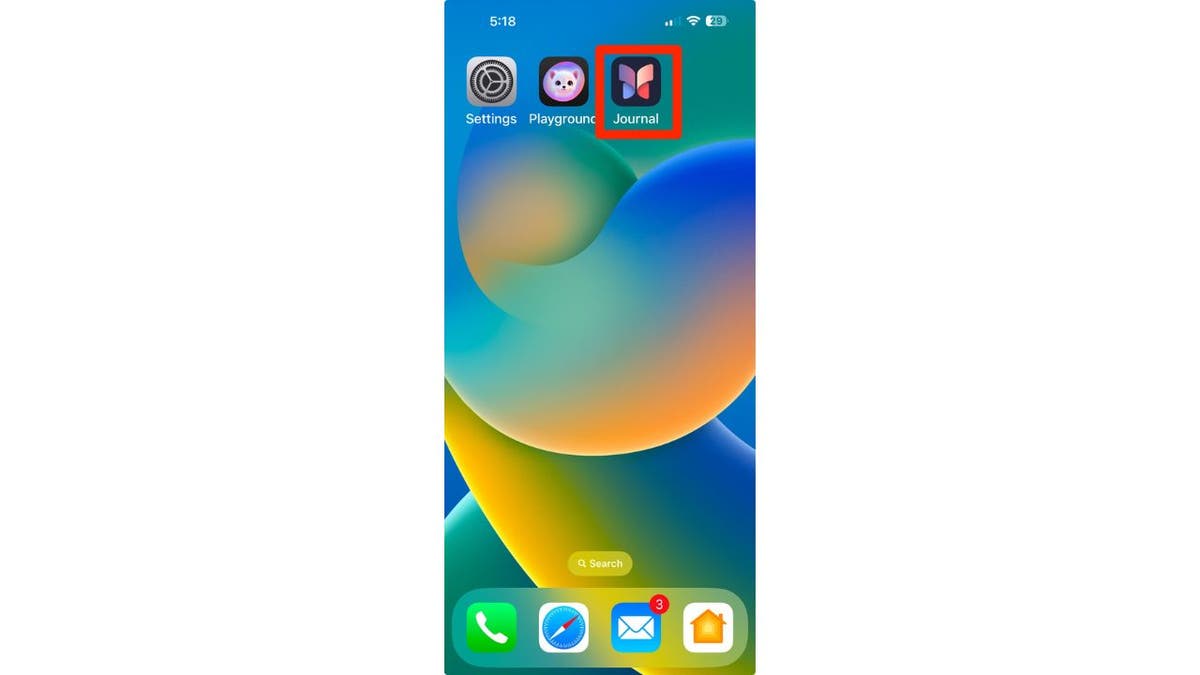
Apple made several changes to the iPhones with its iOS 18 update, including updates to the Journal app. You don’t need the latest iPhone 16 to try the app’s mindfulness option for journal entries; any iPhone with iOS 18 will do. When you open the Journal app, tap the icon that looks like a tiny tree, and you’ll be able to log your mood for each day and see how it changes over time.

First 15 things to do or try first when you get a new iPhone

Journal app on iPhone (Kurt “CyberGuy” Knutsson)

12) Give Action Button a try

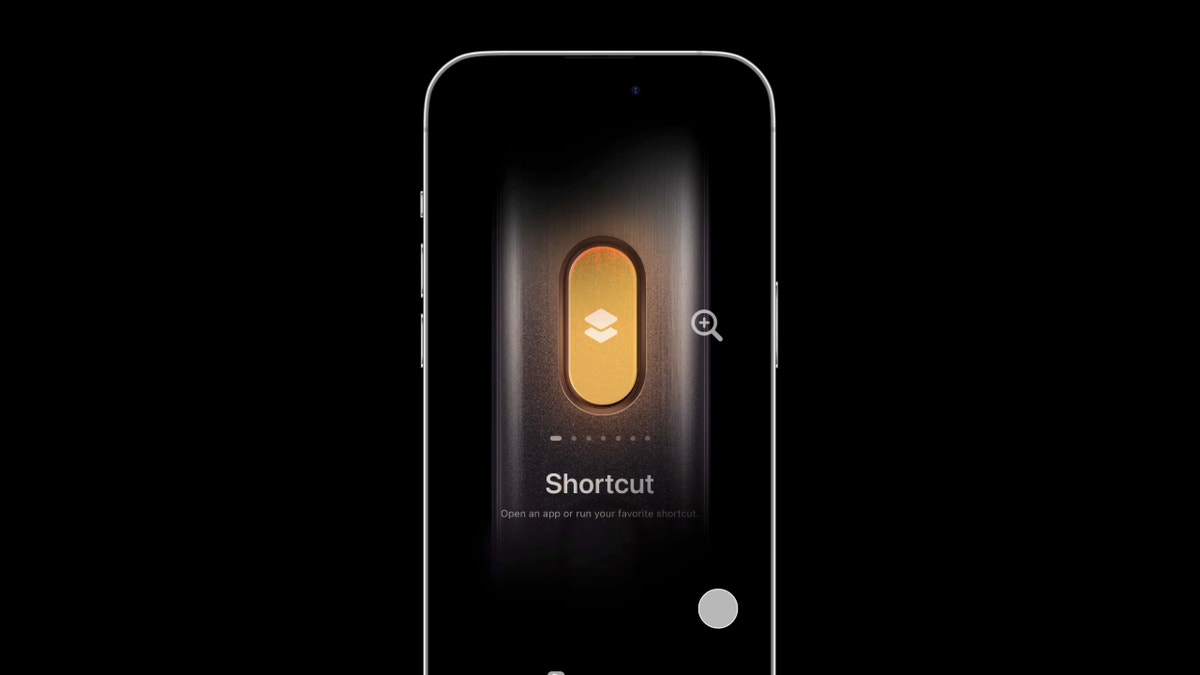
The Action Button is part of the iOS 17 operating system for the iPhone 15 series and continues into iOS 18 for the iPhone 16 series. This customizable side button lets you choose a specific function to perform when pressed, such as turning on silent mode, focus, camera, flashlight, voice memo, recognize music, translate, magnifier, controls, shortcut and accessibility, depending on your settings. Essentially, it acts as a quick access key for a chosen action. Here are the steps to customize the Action button on supported iPhone models:

  • Go to Settings
  • Tap Action Button
  • An image of the side of the iPhone will appear showing icons representing actions you can assign to the Action button.
  • Swipe left or right to choose an action. The name of the action will appear below the dots.
  • If additional options are available for the selected action, a button will appear below the action.
  • Tap it to see the list of options.
  • For Controls, Shortcut and Accessibility actions, you need to tap the button below the action and select a specific option. Otherwise, the Action button won’t do anything.
First 15 things to do or try first when you get a new iPhone

Action button on iPhone (Kurt “CyberGuy” Knutsson)

13) Try out the new Passwords app

I always stress the importance of using a password manager to store your passwords. Let’s be honest, we all have a ton of apps and services that require an account and password. If you use the same password everywhere, you risk having your important info stolen by cybercriminals. But it’s also impossible to come up with a unique password for every app and remember them all. 

Password managers make life easier by storing your passwords and filling them in when you log into apps. But they usually charge a monthly or yearly fee. That’s where Apple’s Passwords app comes in. It works just like a password manager but without the extra cost. Open the app from the App Library, and it’ll keep your login details encrypted and synced across all your devices.

While Apple’s new Passwords app in iOS 18 offers a convenient and cost-free solution for password management, it’s important to consider its limitations. These include its exclusivity to the Apple ecosystem, lack of compatibility with Android or Linux devices and limited functionality outside of Safari and Apple apps. For those seeking a more comprehensive password management solution that works across various browsers and apps, check out my best expert-reviewed password managers of 2025 here.

14) Use ChatGPT and writing tools

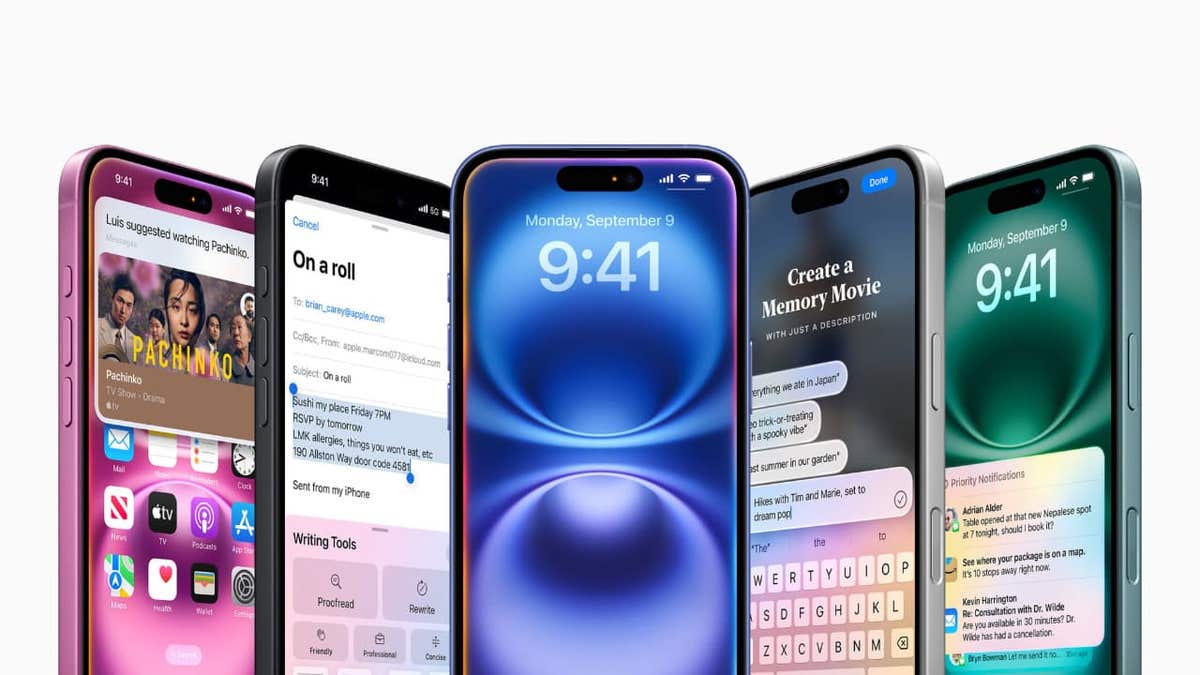
Apple introduced Apple Intelligence for iPhone 15 Pro and newer models running iOS 18.2, bringing a range of AI tools and ChatGPT support. ChatGPT is now built into various parts of iOS, and if you have an iPhone 15 Pro or above, you can take full advantage of this integration.

You can use Apple’s enhanced Writing Tools to access ChatGPT directly in apps like Notes, Mail and any other text input field. Whether you need help spicing up your notes or generating complex programming scripts, ChatGPT is up for the task. Here’s how to get started; you’ll need to enable ChatGPT integration. 

  • Head to Settings
  • Click Apple Intelligence & Siri
  • Tap ChatGPT and toggle on next to where it says Use ChatGPT.
  • From there, you can scroll down and Sign In to your own ChatGPT account or even upgrade to ChatGPT Plus.
First 15 things to do or try first when you get a new iPhone

ChatGPT and writing tools on iPhone (Kurt “CyberGuy” Knutsson)

15) Install strong antivirus protection

Antivirus software can help protect your new iPhone from malware, phishing and other threats. The best way to protect yourself from having your data breached is to install antivirus protection on all your devices. Having strong antivirus software on your devices will alert you of any known malware that is targeting you, warn you against clicking on any known malicious links in phishing emails and ultimately help protect you from being hacked. Get my picks for the best 2025 antivirus protection winners for your iPhone, Mac, Windows and Android devices.

Pro tip: Prioritize regular backups to safeguard your data

Making data backups a regular part of your iPhone maintenance is crucial. This way, you can protect yourself against uncertainties. Whether it’s a hardware malfunction or a security breach, having a recent backup will let you recover quickly.

SUBSCRIBE TO KURT’S YOUTUBE CHANNEL FOR QUICK VIDEO TIPS ON HOW TO WORK ALL OF YOUR TECH DEVICES

Kurt’s key takeaways

When you get your new iPhone, there are several essential steps to take to ensure you’re getting the most out of your device. Start by updating to iOS 18.2 or later to access the latest features. Next, security measures like a passcode or biometric authentication should be set up for added protection. Personalize your settings by customizing your display and sound preferences, and don’t forget to enable Family Sharing if you want to connect with loved ones. Also, explore the App Store to download useful apps. Additionally, make sure to give the Action Button a test run for quick access to your favorite functions. With these tips, you’ll be well on your way to maximizing your new iPhone’s capabilities.

How do you feel about the annual iPhone releases? Do you think they provide enough value each year? Let us know by writing us at Cyberguy.com/Contact.

For more of my tech tips and security alerts, subscribe to my free CyberGuy Report Newsletter by heading to Cyberguy.com/Newsletter.

Ask Kurt a question or let us know what stories you’d like us to cover.

Follow Kurt on his social channels:

Answers to the most asked CyberGuy questions:

New from Kurt:

Copyright 2024 CyberGuy.com. All rights reserved.



Source link

Dementia risk has spiked for people 55 and older, new study finds

0

Dementia cases in the U.S. are expected to double by 2060, with an estimated one million people diagnosed per year, according to a new study led by Johns Hopkins University and other institutions.

Researchers found that Americans’ risk of developing dementia after age 55 is 42%, double the risk that has been identified in prior studies, a press release stated.

For those who reach 75 years of age, the lifetime risk exceeds 50%, the study found.

AGING ‘HOTSPOT’ FOUND IN BRAIN, RESEARCHERS SAY: ‘MAJOR CHANGES’

Women face a 48% average risk and men have a 35% risk, with the discrepancy attributed to women living longer than men.

Dementia cases in the U.S. are expected to double by 2060, with an estimated one million people diagnosed per year. (iStock)

The study, which was published in the journal Nature Medicine on Jan. 13, analyzed data from the Atherosclerosis Risk in Communities Neurocognitive Study (ARIC-NCS), which has tracked the cognitive and vascular health of nearly 16,000 adults since 1987.

CLICK HERE TO GET THE FOX NEWS APP      

Aging is the biggest risk factor for dementia, with other factors including genetics, obesity, hypertension, diabetes, unhealthy diets, sedentary lifestyles and mental health disorders, the release said.

Dementia risk was found to be higher among people who have a variant of the APOE4 gene, which has been linked to late-onset Alzheimer’s disease. Black adults also have a higher risk.

virtual volumetric drawing of brain in hand

Researchers found that Americans’ risk of developing dementia after age 55 is 42%, double the risk that has been identified in prior studies. (iStock)

“Our study results forecast a dramatic rise in the burden from dementia in the United States over the coming decades, with one in two Americans expected to experience cognitive difficulties after age 55,” said study senior investigator and epidemiologist Josef Coresh, MD, PhD, who serves as the founding director of the Optimal Aging Institute at NYU Langone, in the release.

CLICK HERE TO SIGN UP FOR OUR HEALTH NEWSLETTER

Research has shown that the same interventions used to prevent heart disease risk could also prevent or slow down dementia, the study suggested.

Man with Alzheimer's

Research has shown that the same interventions used to prevent heart disease risk could also prevent or slow down dementia. (iStock)

“The pending population boom in dementia cases poses significant challenges for health policymakers in particular, who must refocus their efforts on strategies to minimize the severity of dementia cases, as well as plans to provide more health care services for those with dementia,” said Coresh.

For more Health articles, visit www.foxnews.com/health

The research was funded by the National Institutes of Health.

Fox News Digital reached out to the researchers for additional comment.

North Korean soldiers in Russia resort to suicide amid capture of first POWs by Ukraine

0

Join Fox News for access to this content

Plus special access to select articles and other premium content with your account – free of charge.

By entering your email and pushing continue, you are agreeing to Fox News’ Terms of Use and Privacy Policy, which includes our Notice of Financial Incentive.

Please enter a valid email address.

This story discusses suicide. If you or someone you know is having thoughts of suicide, please contact the Suicide & Crisis Lifeline at 988 or 1-800-273-TALK (8255).

North Korean soldiers fighting in Russia’s Kursk region against Ukrainian forces have begun resorting to drastic measures to evade capture, including suicide, a report by Reuters on Tuesday said. 

Following a battle this week, Ukrainian special forces reportedly scoured the snowy terrain where more than a dozen North Korean soldiers lay slain before they came upon one who was still alive. The North Korean soldier apparently pulled out a grenade and detonated it, killing himself, though without injuring the nearby Ukrainian troops.

Ukrainian troops have installed defenses such as this barbed wire across many key routes within Sumy region to protect against a potential Russian counterassault. (Photo by Serhiy Morgunov/For The Washington Post via Getty Images)

UKRAINE HAS CAPTURED 2 NORTH KOREAN SOLDIERS, SOUTH KOREA’S INTELLIGENCE SERVICE SAYS

The news of the self-sacrificing tactics being employed came just days after Ukrainian President Volodymyr Zelenskyy said that, for the first time, two North Korean prisoners of war had been captured by Ukrainian forces.

Zelenskyy confirmed the capture in a Saturday address to the nation, saying “it was not easy” and claiming that North Korean and Russian forces apparently “finish off their wounded Korean” troops to prevent their capture.

Ukraine has repeatedly claimed that Russia has issued military IDs to North Korean forces in a move to conceal evidence that foreign troops have entered the war in support of Moscow, though Western nations, including the U.S., have confirmed for months Pyongyang’s deployment of forces to Russia.

As many as 12,000 North Korean soldiers have been deployed to Russia, an estimated 11,000 of whom have been stationed in Kursk to fend off Ukrainian advancement. 

Zelenskyy, as well as South Korean intelligence, have said North Korean troops in Kursk have seen some 3,000 casualties since they entered the fight in mid-November.

North Korean soldiers training

North Korean soldiers participate in a demonstration of the Korean People’s Army’s air and amphibious combat units, in this picture released on March 16 by the Korean Central News Agency. (Reuters/KCNA)

KIM JONG UN’S BIG GUNS SPOTTED ON RUSSIAN FRONT LINES: REPORT

In a Sunday post on X, Zelenskyy shared a video of the two captured North Korean soldiers receiving medical attention and being questioned about what they knew before they found themselves embroiled in the front-line-fight.

One of the soldiers said he did not know he was going to war against Ukraine to aid Russia, and instead believed he and his troops were being sent for training exercises. 

However, by Jan. 3, one of the soldiers found himself in an active operation and witnessed North Korean soldiers dying before he hid in a dugout for two days. He was found on Jan. 5. 

North Korean soldier sitting in bed

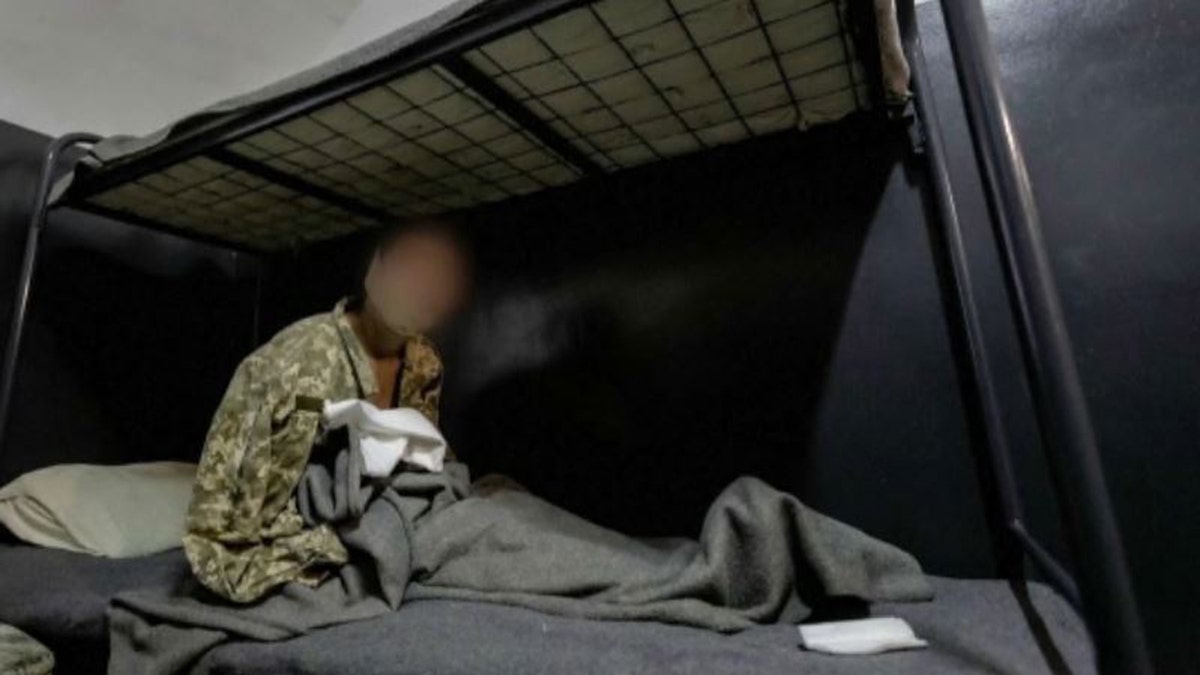
In this unverified photo shared by the Ukrainian military, an apparent captured North Korean soldier with injuries is sitting in a bed inside a cell. (Ukraine Military handout)

CLICK HERE TO GET THE FOX NEWS APP

Western intelligence has repeatedly suggested that North Korean troops are unprepared for the fight they have been thrown into, and Zelenskyy said on Sunday, “It’s only a matter of time before our troops manage to capture others.”

“Ukraine is ready to hand over Kim Jong Un’s soldiers to him if he can organize their exchange for our warriors who are being held captive in Russia,” Zelenskyy said.  “For those North Korean soldiers who do not wish to return, there may be other options available.”

Reuters contributed to this report.

Shape-shifting AI Transformer homes will leave you wanting one

0


AC Future, a leading developer of AI-enabled sustainable living solutions, has partnered with world-renowned Italian design house Pininfarina to create a groundbreaking collection of transformable living spaces. This innovative collaboration has resulted in three distinct products: AI-THd (AI Transformer Home Drivable), AI-THu (AI Transformer Home Unit) and AI-THt (AI Transformer Home Trailer).

I’M GIVING AWAY THE LATEST & GREATEST AIRPODS PRO 2

Enter the giveaway by signing up for my free newsletter.

Shape-shifting AI Transformer homes will leave you wanting one

AI-THt (AC Future) (Kurt “CyberGuy” Knutsson)

AI-THd: The ultimate mobile living space

The AI-THd is an intelligent, self-sufficient, drivable version of the AI Transformer Home that provides unprecedented mobility and flexibility. Drivers can expand the vehicle from a compact recreational vehicle into a large mobile living space with remarkable ease. The innovative design allows the cockpit to convert into a mobile office or secondary bedroom, creating a versatile living environment. Advanced AI-enabled smart technologies enhance the overall living experience, supporting a range of lifestyle needs and preferences.

Shape-shifting AI Transformer homes will leave you wanting one

AI-THd (AC Future) (Kurt “CyberGuy” Knutsson)

YOU’VE HEARD ABOUT THE CYBERTRUCK. WHAT ABOUT THE CYBERTRAILER?

AI-THu: The smart home reinvented

The AI-THu represents a stationary AI-enabled sustainable smart home that transforms to offer 400 square feet of intelligent living space. Its flexible main living area can seamlessly shift between a comfortable lounge, productive office or additional bedroom, maximizing functional utility. The design includes a convertible front expansion for additional living space and a private primary bedroom with extendable wardrobe options. Integrated AI smart home technology, solar panels, energy storage systems and a water generator ensure sustainable and efficient living. Priced starting at $98,000, the AI-THu can be installed anywhere – on-grid or off-grid – while maintaining the comforts of a traditional home.

Shape-shifting AI Transformer homes will leave you wanting one

AI-THu (AC Future) (Kurt “CyberGuy” Knutsson)

TOWABLE TRAILER TRANSFORMS INTO RUGGED TINY HOME IN 2 MINUTES

AI-THt: The Transformer Home trailer

The AI-THt is a 24-foot-long transformer home trailer that expands to offer up to 400 square feet of sophisticated internal living space. Utilizing patented expansion living technologies, this trailer provides flexible living spaces that adapt to various lifestyle needs. Smart AI enhancements and an aerodynamic design distinguish the AI-THt from traditional trailer homes. The unique construction eliminates the need for a front driving cabin, resulting in a more premium and spacious interior environment that doubles in size when fully expanded.

Shape-shifting AI Transformer homes will leave you wanting one

AI-THt (AC Future) (Kurt “CyberGuy” Knutsson)

THIS OFF-ROAD TEARDROP TRAILER ADDS LUXURY CAMPING TO THE MOST REMOTE LOCATIONS

Innovation meets design

All three AI-TH products exemplify a commitment to cutting-edge engineering, sustainable innovation and refined design. They push the boundaries of conventional standards and elevate the concept of adaptable living. Francisco Barboza, Pininfarina’s senior design manager, emphasizes the challenge of maintaining an efficient floor plan while accommodating complex opening systems, resulting in an iconic design that authentically embraces the future.

Shape-shifting AI Transformer homes will leave you wanting one

AI-THt (AC Future) (Kurt “CyberGuy” Knutsson)

THE BEST TRAVEL GEAR FOR 2025

Kurt’s key takeaways

The AI-THd, AI-THu and AI-THt are more than just innovative products. They’re like a crystal ball showing us how we might live, work and explore the world without compromising our environment. AC Future and Pininfarina aren’t just thinking outside the box. They’re creating an entirely new box. Or should we say, an expandable, AI-powered, eco-friendly box on wheels? Their partnership is laying the groundwork for a revolution in housing and mobility that could change the way we think about home in the future.

What worries, if any, do you have about using AI in our homes? Let us know what you think by writing us at Cyberguy.com/Contact.

For more of my tech tips and security alerts, subscribe to my free CyberGuy Report Newsletter by heading to Cyberguy.com/Newsletter.

Ask Kurt a question or let us know what stories you’d like us to cover.

Follow Kurt on his social channels:

Answers to the most asked CyberGuy questions:

New from Kurt:

Copyright 2024 CyberGuy.com. All rights reserved.



Source link

Sleep techniques could help erase bad memories, study finds

0

Join Fox News for access to this content

Plus special access to select articles and other premium content with your account – free of charge.

By entering your email and pushing continue, you are agreeing to Fox News’ Terms of Use and Privacy Policy, which includes our Notice of Financial Incentive.

Please enter a valid email address.

Sleep has been shown to have a long list of physical and mental health benefits, and now a new study suggests it could also help to “erase” bad memories.

That’s according to researchers from the University of Hong Kong, who implemented a procedure called “targeted memory reactivation” (TMR) to reactivate positive memories and weaken painful ones during sleep. 

“Recollecting painful or traumatic experiences can be deeply troubling,” the researchers wrote in the findings, which were published in the journal PNAS. “Sleep may offer an opportunity to reduce such suffering.”

DEEP SLEEP CAN KEEP TWO BIG HEALTH PROBLEMS AT BAY, NEW STUDIES SUGGEST

“We developed a procedure to weaken older aversive memories by reactivating newer positive memories during sleep.”

A new study suggests that sleep could help to “erase” bad memories. (iStock)

In the study, a total of 37 participants were shown 48 “nonsense words,” each paired with a different unpleasant image, before going to sleep for the night.

The next evening, they were shown half of the words paired with positive images from four categories: animals, babies, people and scenes. 

ANOTHER REASON TO GET MORE SLEEP AND THIS ONE MIGHT SURPRISE YOU

During the following “non-rapid-eye-movement” sleep, the researchers introduced “auditory memory cues.” 

When the participants woke, they had less memory of the negative images and stronger memory of the positive ones.

Senior woman can't sleep

“Recollecting painful or traumatic experiences can be deeply troubling,” the researchers wrote. “Sleep may offer an opportunity to reduce such suffering.” (iStock)

“Our results were aligned with recent TMR research showing that episodic forgetting could be induced via reactivating interfering memories during sleep,” the researchers wrote in the study.

“Going beyond prior research on neutral memories, our results suggest that TMR preferentially reactivated recently acquired positive memories and weakened older aversive memories, thus altering the fate of emotional experiences.” 

‘I CAN’T SLEEP BECAUSE OF RACING THOUGHTS AT NIGHT — HOW CAN I STOP THEM?’: ASK A DOCTOR

Dr. Earnest Lee Murray, a board-certified neurologist at Jackson-Madison County General Hospital in Jackson, Tennessee, noted that TMR has been a method for treating PTSD and other aversive (bad) memories.  

“This is done by combining sensory cues with therapeutic interventions and then re-presenting these cues during specific sleep phases,” Murray, who was not involved in the study, told Fox News Digital. 

Woman sleeping in bed at night

Many patients have reported improvements in mood and anxiety when sleep was improved, a sleep doctor said. (iStock)

This treatment has been shown to reduce the emotional impact of aversive memories, the neurologist added.

“This study not only shows a suppression or a weakening of aversive memory, but does so by reactivating newer positive memories while the patient is asleep,” Murray said. “This will open the door for additional research in ways to weaken traumatic or other bad memories.”

DO WOMEN NEED MORE SLEEP THAN MEN? HERE’S WHAT EXPERTS THINK

In addition to psychotherapies, medications are sometimes used to suppress nightmares or other aversive memories, he noted. 

“This study continues to show ways to treat these conditions without the use of medications, which oftentimes are fraught with adverse side effects.”

Can't sleep

“This study continues to show ways to treat these conditions without the use of medications, which oftentimes are fraught with adverse side effects,” a sleep doctor said. (iStock)

Alex Dimitriu, MD, a board-certified psychiatrist and sleep medicine doctor and founder of Menlo Park Psychiatry & Sleep Medicine in California, was also not involved in the study, but said it is “fascinating” in what it reveals about how the brain processes memories during sleep.

“Our brains are unpacking, processing and repacking emotions in our sleep,” he told Fox News Digital. “I had suspected this before, and have often told my patients that sleep is like therapy for our emotions.”

CLICK HERE TO GET THE FOX NEWS APP      

Many of the doctor’s patients have reported improvements in mood and anxiety when sleep was improved.

“There has been evidence that in REM (dream sleep) in particular, a lot of emotional processing and rehearsal occurs,” Dimitriu said. “In this study, however, the intervention was in non-REM sleep, which shows that emotions are processed in other sleep phases as well.”

man in deep sleep

The process of using TMR to suppress negative emotions and fortify positive memories could have a “tremendous impact” on people with depression or trauma, an expert said. (iStock)

The process of using TMR to suppress negative emotions and fortify positive memories could have a “tremendous impact” on people with depression or trauma, the expert said.

“I am excited to see further research into this area, which essentially means we can learn and change while we are asleep.”

Potential limitations

The study did have some limitations, the researchers noted.

“Our brains are unpacking, processing and repacking emotions in our sleep.”

“First, although our experiment aims to weaken aversive memories, the lab-induced emotional experiences of viewing aversive/positive images may not mimic typical traumatic experiences,” they wrote. 

It can also be difficult to find positive components within some highly traumatic experiences, they noted. 

CLICK HERE TO SIGN UP FOR OUR HEALTH NEWSLETTER

“Future research should explore ways to introduce positive interfering memories, such as positive autobiographical memories or therapy-related memories, to effectively weaken real-life trauma memories,” the researchers stated. 

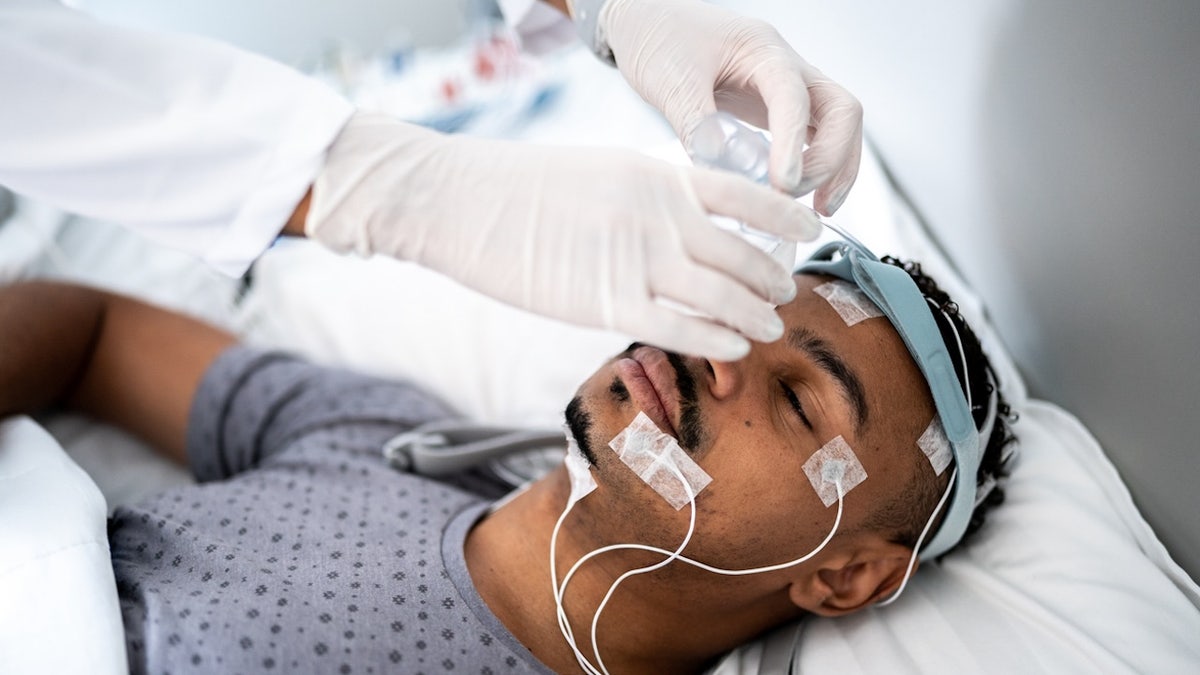
Man brain electrodes

“The role of REM sleep in modulating emotional memories shall be further investigated,” the study authors wrote. (iStock)

“Second, the role of REM sleep in modulating emotional memories shall be further investigated.”

The study received ethical approval from the Human Research Ethics Committee of the University of Hong Kong.

For more Health articles, visit www.foxnews.com/health

Funders included the Ministry of Science and Technology of China and the National Natural Science Foundation of China, along with other grants.

Fox News Digital reached out to the researchers for comment.

Flight passenger shows luggage resembling prop from airport thriller ‘Carry-On,’ sparking reactions

0

Join Fox News for access to this content

Plus special access to select articles and other premium content with your account – free of charge.

By entering your email and pushing continue, you are agreeing to Fox News’ Terms of Use and Privacy Policy, which includes our Notice of Financial Incentive.

Please enter a valid email address.

A new thriller has sparked viewers’ attention as some passengers draw references while traveling through airports.

Netflix’s recent film, “Carry-On,” tells the story of an airport security officer who races to outsmart a mysterious traveler, according to the streaming service’s website. 

In the movie, a “dangerous item” is attempted to be brought onto a flight scheduled to leave on Christmas Eve.

‘THROWAWAY TICKETING’ IS RISKY FLIGHT TACTIC THAT COULD SAVE YOU MONEY BUT COMES WITH CONSEQUENCES

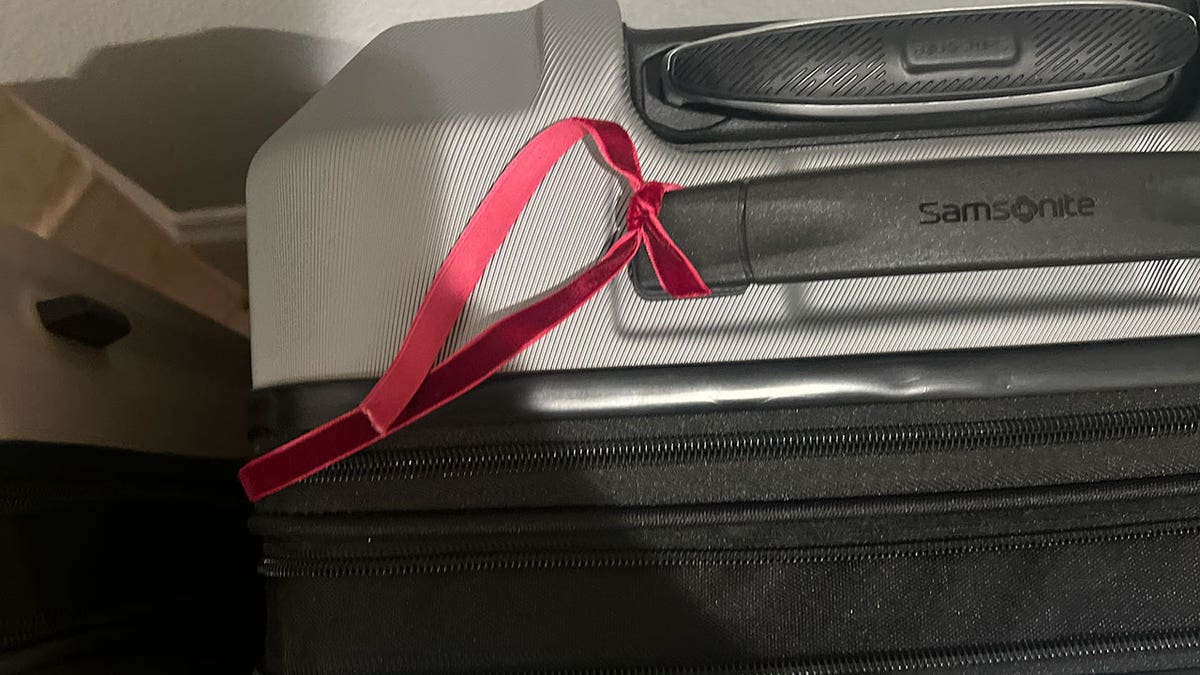
The movie’s trailer highlights a black suitcase with a red ribbon tied around the handle — something travelers often do to identify a piece of luggage.

A social media user posts a photo of a suitcase with a red ribbon referencing a popular action movie, sparking discussion. (iStock)

A user on X recently posted a photo of a black suitcase with a red ribbon at an airport, captioning the post, “If I see this at the airport, I’m canceling my flight ASAP…If you know you know,” the user teased. 

Fox News Digital reached out to the X user for comment.

The post prompted X users to react in the comments section. 

“I see what you did there,” one user responded.

FLIGHT PASSENGERS SOUND OFF OVER VIRAL MIDDLE-SEAT BOOKING HACK AND MORE AIR TRAVEL DEBATES

Another commented, “I get your point.”

“Then you must be a coward,” one man responded.

red ribbon on suitcase

Users on X took notice of the “Carry-On” movie reference. (Fox News Digital)

Another joked, “Na to leave airport immediately.”

“Lol I get you,” commented one.

A man said, “You will be fine at the end.”

CLICK HERE TO SIGN UP FOR OUR LIFESTYLE NEWSLETTER

“Just CARRY-ON, bro,” added another. 

“Just finished watching it today,” said another, referring to the film.
TSA advises Americans to report any suspicious items they see to a local law enforcement officer.
TSA advises Americans to report any suspicious items they see to a local law enforcement officer. (iStock)

Some users responded to others who questioned the photo of the ribbon-tied suitcase and what it referenced.

“Go and watch Carry-On movie, you will understand,” clarified the original poster.

In 2024, a baggage handler who said he works for Dublin Airport, told the Irish news organization RSVP Live that travelers should not tie ribbons to bags as it could “cause confusion with the scanning process.”

Fox News Digital reached out to Dublin Airport for comment.

A Transportation Security Administration (TSA) spokesperson told Fox News Digital that he does not see an issue with attaching ribbons to checked bags, but recognizes that they could be caught in the conveyor belt, “so tape or stickers might be a better way to mark bags for quick identification at travelers’ destinations.”

For more Lifestyle articles, visit foxnews.com/lifestyle

The TSA says on its site that officers “count on the traveling public to report unattended bags or packages.”

The agency added that if flyers see something, they should say something and report suspicious activity to local law enforcement.

CLICK HERE TO GET THE FOX NEWS APP

The TSA also says that if “a passenger is traveling with a highly unusual item that could be flagged as a potential security threat,” he or she should to contact a TSA supervisor or manager upon arriving at the airport.

For TSA’s tips on efficient passage through security checkpoints, anyone can visit www.tsa.gov/travel/travel-tips.

5-minute cleanup for your phone and computer

0


Join Fox News for access to this content

You have reached your maximum number of articles. Log in or create an account FREE of charge to continue reading.

By entering your email and pushing continue, you are agreeing to Fox News’ Terms of Use and Privacy Policy, which includes our Notice of Financial Incentive.

Please enter a valid email address.

Digital junk piles up faster than clutter in real life. There are files you don’t need, all those random screenshots, apps you downloaded and used once, and blurry photos clogging up your camera roll.

Win a pair of $329 Ray-Ban Meta smart glasses. Enter here, no purchase necessary!

It all adds up, slowing your devices down and making everything feel messy. The good news? Cleaning it up is easier than you think. Let’s do a quick declutter that will make you say, “Ahhh, that feels better.”

Step 1: Update your devices

HOW TO (KINDLY) ASK PEOPLE NOT TO POST YOUR KIDS’ PHOTOS ON SOCIAL MEDIA

There are too many dangerous bugs out there to skip security patches.

  • On a Windows PC, head to Settings > Windows Update. 
  • On a Mac, go to General > Software Update. 
  • On an Android, tap Settings > System > Software. 
  • On an iPhone, tap Settings > General > Software Update.
Man on phone at work

Start with your phone

  1. Apps are space hogs

Scroll through your app list and delete any you’re not using anymore. If it’s been months, you’re not going to use it. Trust me. And even if you do want it later, great, download it again. 

YOUR SSN IS ON THE DARK WEB — HERE’S WHAT TO DO ABOUT IT

While you’re at it, move the apps you want to spend less time using (Instagram for me) off your phone’s home screen. You can hide the app or just move it to another page or folder.

On iPhone: 

  • Swipe left to get past all your app screens and open the App Library.
  • To delete, touch and hold an app icon > Delete App > Delete to confirm.
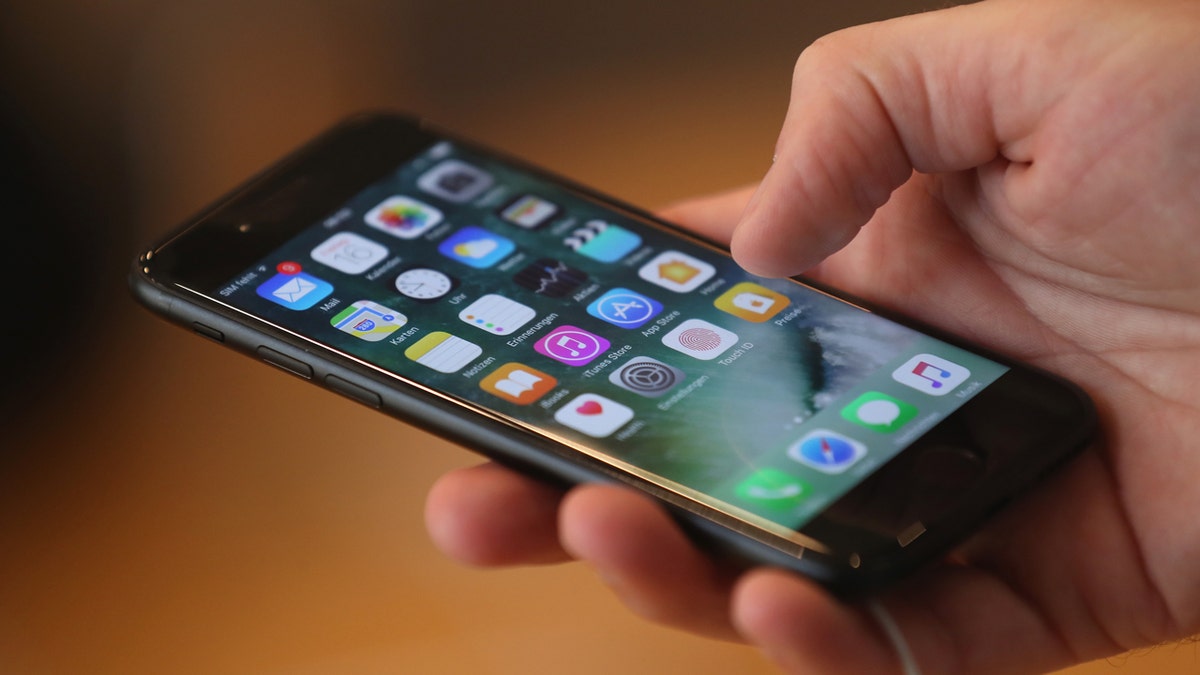
Person using iPhone

(Photo by Sean Gallup/Getty Images)

On Android: 

  • Open the Google Play Store app, and tap your Profile icon.
  • Tap Manage apps & devices > Manage.
  • Select the name of the app you want to delete, then tap Uninstall.

TECH TIP: SAVE YOUR MEMORIES BEFORE IT’S TOO LATE

  1. There’s time for a quick photo cleanup

On iPhone or iPad, the Photos app makes this a breeze. 

  • Open your Photos app and select Albums.
  • Scroll down and choose Duplicates. (Last time I checked, I had 2,933 duplicate photos and 49 videos!)
  • Hit Select > Select all, then tap the Trash icon to delete them. You can also select Merge to combine your dupes into one great shot.

On an Android, open the Files by Google app, select Clean, then:

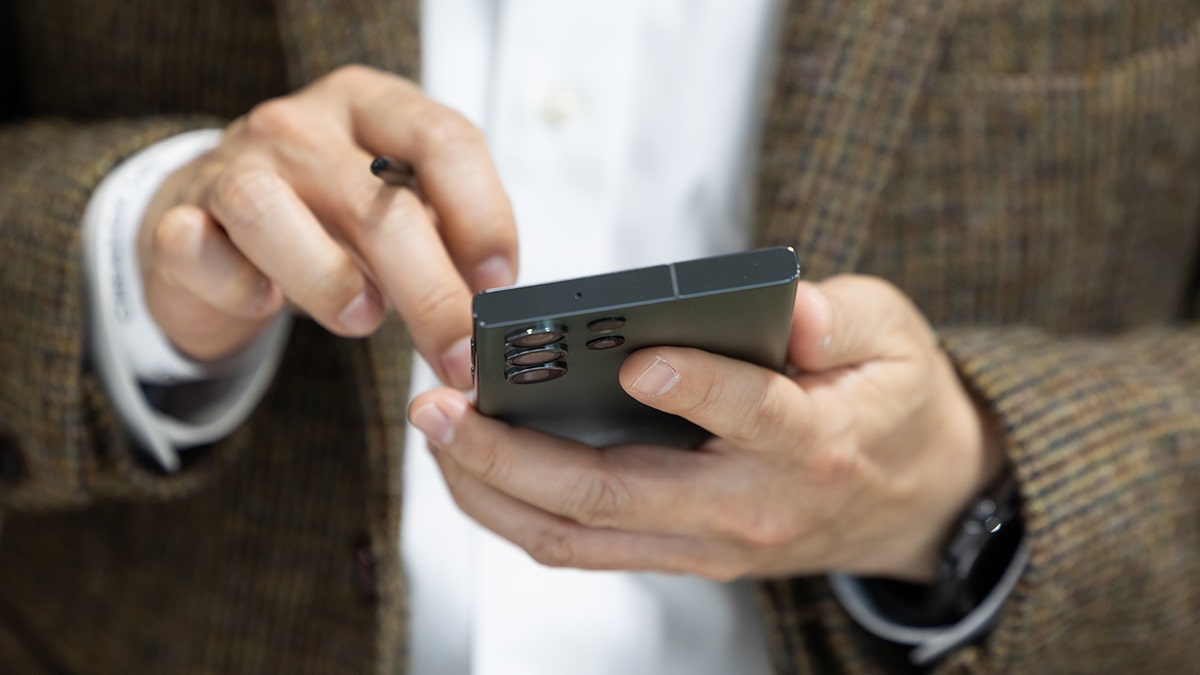
Samsung Galaxy S23 Ultra smartphone is seen in South Korea

(SeongJoon Cho/Bloomberg via Getty Images)

  • Tap Confirm and free up > See junk files and select what you want to clear.
  • When you’re ready, tap Clear > Clear. That’s all it takes to remove screenshots, memes, duplicates and other junk mixed in with your important photos.

Onto your computer

  1. Start with the desktop

Here’s the quick and dirty way. Create a new folder, then drag all the random files, screenshots and whatever else into it. 

Pro tip: Sensitive documents have no place on your desktop. If you do insist on saving private docs locally, at least give a snoop a more challenging time by naming the folder something off-base like “Vacation Photos.” Be sure your computer automatically locks when you’re away and requires a password on startup, too.

Quick lock: For Windows, hit the Windows key + L. On a Mac, use Ctrl + Cmd + Q.

  1. Kick out programs you don’t need or use 

They take up a decent amount of space, so regularly clear out anything you’re not using. Beyond that, outdated apps could put you at risk. By keeping old programs on your computer, you’re potentially leaving a door wide open for cybercriminals to slip in.

On a Windows PC:

  • Click the Start button and look for the app or program. Press and hold (or right-click) the app and select Uninstall.

On a Mac:

  • Click the Finder icon in the Dock, then Applications.
  • If an app is in a folder, open it to look for an Uninstaller. Double-click it, then follow the onscreen instructions.
  • If an app isn’t in a folder or doesn’t have an Uninstaller, drag it from the Applications folder to the Trash.

Don’t forget the outside

We’re aiming for quick, so let’s tackle those fingerprint-covered screens.

On your phone, remove the case and accessories. You want to reach every nook and cranny. For a computer monitor, dust the back top, sides and any ledges that collect dirt before you start cleaning.

A microfiber cloth works, but I prefer screen-cleaning wipes. They’re just so easy. Skip paper towels. They’re too rough for delicate jobs like this.

I always come back to this 210-pack of screen cleaning wipes. Use them on smartphones, tablets, monitors, TVs, remote controls and even glasses. They’re scratch-free and made with anti-static tissue that cleans without leaving behind streaks or lint.

CLICK HERE TO GET THE FOX NEWS APP

Get tech-smarter on your schedule

Award-winning host Kim Komando is your secret weapon for navigating tech.

Copyright 2025, WestStar Multimedia Entertainment. All rights reserved.


Source link

What to do in Washington DC after Trump is sworn into office

0

Visiting Washington, D.C., after President-elect Donald Trump is sworn into office is an opportunity to explore the nation’s capital with history in the making. 

In 2023, the city welcomed nearly 26 million visitors, setting a new record, according to Destination DC.

Kristin Petersen, a travel advisor for Travelmation, told Fox News Digital that if visitors are looking for indoor activities, there are many options around D.C.

TRAVEL TIPS FOR ATTENDING PRESIDENT-ELECT TRUMP’S INAUGURATION AS EXPERTS WEIGH IN

“Obviously, you will want to hit the Smithsonian’s along the Mall while you are in town, and the National Museum of American History, where you can see the Star-Spangled Banner and the First Lady’s gowns,” said Petersen.

Melania Trump’s 2017 inaugural ballgown is on display in The First Lady’s exhibit at the National Museum of American History. (Smithsonian Institution)

Incoming first lady Melania Trump’s 2017 inaugural ballgown is on display in The First Lady’s exhibit at the National Museum of American History.

Visitors, with free admission and no ticket required, can view the cream off-the-shoulder gown designed by Hervé Pierre.

For history buffs, travelers can see the Declaration of Independence, the Constitution and the Bill of Rights at the National Archives Museum.

JIMMY CARTER CARRIED OUT THIS TRAVEL RITUAL ‘EVERY TIME’ HE BOARDED A FLIGHT

It is the 20th amendment to the Constitution that states the term of each elected U.S. president begins at noon on Jan. 20 following presidential election years.

United States National Archives

Travelers can see the Declaration of Independence, the Constitution and the Bill of Rights at the National Archives Museum. (iStock)

“[Visitors] absolutely need to make reservations for the National Archives,” Petersen advises.

For family affairs, the International Spy Museum welcomes all ages. 

Petersen said that it is a fun museum.

For more Lifestyle articles, visit foxnews.com/lifestyle

Advance timed tickets are recommended, and general admission starts at $30.69.

Washington D.C.

Washington, D.C., welcomed nearly 26 million visitors in 2023. (iStock)

If travelers are looking to get outside, Petersen suggests the National Botanical Gardens.

“Another spot we enjoy touring, for some warmth and beauty… It’s the perfect destination in the winter while everything outside is blustery,” she shared. 

The National Mall has the Franklin Delano Roosevelt Memorial, Jefferson Memorial, Korean War Veterans Memorial, Lincoln Memorial, Martin Luther King, Jr. Memorial, Vietnam Veterans Memorial, Washington Monument, and World War II Memorial.

CLICK HERE TO SIGN UP FOR OUR LIFESTYLE NEWSLETTER

“Remember all monuments are outside, but if you are dressed appropriately, they are absolutely worth a visit,” said Petersen.

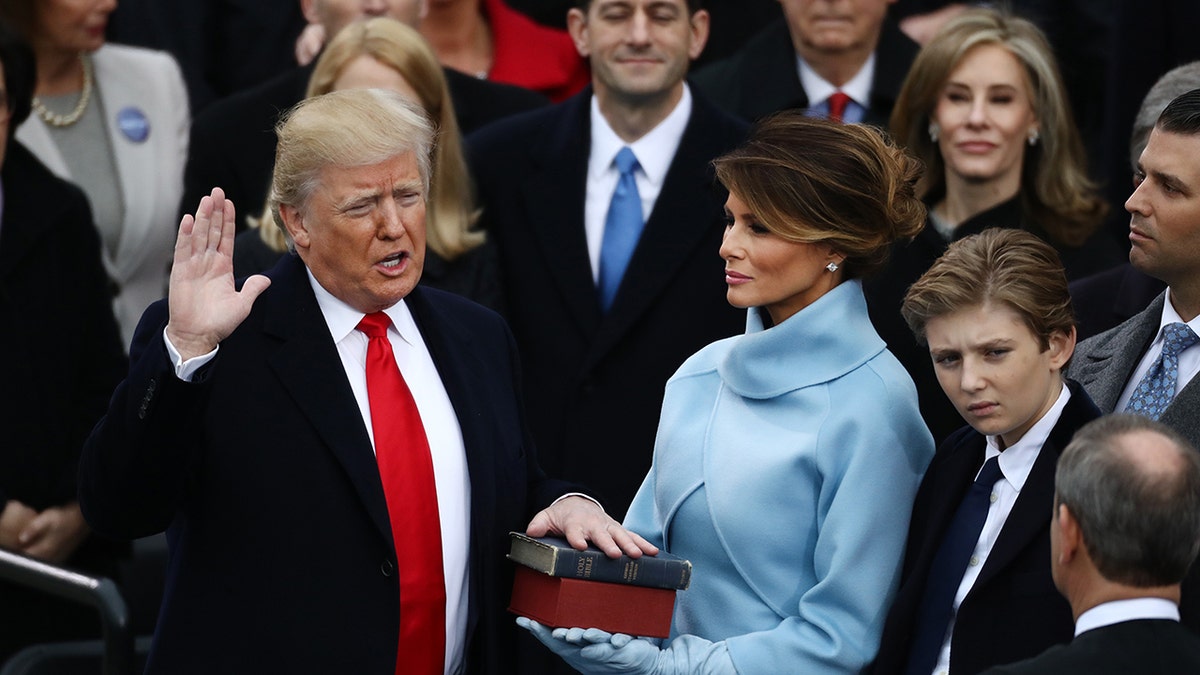
Trump inauguration 2017

The inauguration takes place on Jan. 20 on the West Lawn of the U.S. Capitol (Andrew Harrer/Bloomberg via Getty Images)

Petersen added that the Arlington National Cemetery in Arlington, Virginia is “a must.”

On Sunday, President-elect Trump will be attending a wreath-laying ceremony at the Tomb of the Unknown Soldier at Arlington National Cemetery, FOX 56 reported. 

CLICK HERE TO GET THE FOX NEWS APP

The inauguration takes place on Jan. 20 on the West Lawn of the U.S. Capitol.Â