9.9 C
New York
Thursday, March 5, 2026
Home Blog Page 394

TSA’s ‘naughty-or-nice list’ reveals how to avoid agents unwrapping your Christmas gifts at airport

0

You might want to reconsider making your Christmas gifts look tree-ready as the TSA could unwrap those presents when you go through a security checkpoint before your flight.

In fact, the TSA has its own sort of “naughty-or-nice list” for travelers to take a look at before jetting off on holiday adventures.

“In the event that there is an alarm that needs to be resolved in checked or carry-on bags, TSA advises passengers not to wrap gifts prior to their flights,” a TSA spokesperson told Fox News Digital via email.

FLIGHT PASSENGERS CAN BE DENIED BOARDING IF THEY DON’T FOLLOW THESE RULES, TRAVEL EXPERT WARNS

“When there is an alarm that must be resolved, often the only way that a Transportation Security Officer (TSO) has available is to see the item that caused the alarm. If a package is wrapped, then the TSO must unwrap it for inspection,” the spokesperson added.

If you plan on flying home this holiday season with your perfectly wrapped presents, you might want to rethink putting in all that work in case the TSA has to unwrap your gift in the security check line. (iStock)

It might be worth waiting to add the final touches to your gift upon arrival or try packaging your gift in a way that is easier to see what is inside.

“What TSA recommends, is either wait to wrap the gifts after the airport checkpoint or place the item inside a gift bag so that it can be inspected without having to dismantle the wrapping paper,” the TSA spokesperson said.

ARIZONA FLIGHT PASSENGER GOES VIRAL AFTER LEAVING UNMARKED POWDERY SUBSTANCE IN LUGGAGE, TSA INSPECTS HER BAGS

It is also important to know if your gift will pass the TSA naughty-or-nice list, also known as the prohibited list, so you know if it is best to pack in your carry-on or checked bag.

Classic holiday gifts have some specific rules that you will want to make mention of or else “the Grinch will be paying you a visit at the checkpoint and you may opt to leave your prized snow globe behind,” TSA’s website says.

CLICK HERE TO SIGN UP FOR OUR LIFESTYLE NEWSLETTER

Small snow globes that appear to contain less than 3.4 ounces of liquid, approximately the size of a tennis ball, are allowed to be packed in your carry-on if the entire snow globe can fit into a quart-sized plastic bag. Larger snow globes must be placed in your checked bag, according to the TSA.

TSA checkpoint line

The TSA recommends travelers wait to get to their intended destination before wrapping presents or using gift bags when flying to meet friends and family. (iStock)

Advent calendars, another staple holiday gift, are allowed in your carry-on without any fear of the 24 flaps being opened.

Electronic items are a very popular present during the holiday season, and there are various rules that flyers must be aware of when traveling with electronics.

“Electronics are popular gifts and can travel in carry-on luggage. However, all electronics larger than a cell phone should be placed in a bin with nothing above or below it so that TSA can get a good X-ray image to ensure that it has not been tampered with. So if you have a tablet, laptop or the latest gaming console, you can carry it onto the airplane,” according to a TSA press release.

For more Lifestyle articles, visit www.foxnews.com/lifestyle.

“With electronics often come batteries and ‘dry’ ones such as AA, AAA, 9-volt, C and D batteries can all be carried through a checkpoint. Lithium batteries with 100 watt hours or less installed in a device are okay, but loose lithium batteries are prohibited in checked bags.”

TSA don't wrap presents when flying

Know if your present is on the TSA’s carry-on naughty-or-nice list before taking a flight this holiday season. (iStock)

Drones can also be packed in a carry-on, but the TSA recommends looking into drone-specific policies with your airline.

CLICK HERE TO GET THE FOX NEWS APP

If you are unsure about whether your holiday gift will be on the naughty-or-nice list, check out the TSA’s “What can I bring?” page or message @AskTSA on X.


6 tips to boost your stamina while shopping during the holiday season

0

Black Friday is behind us, but holiday shopping season is still in full swing.

Winter holiday spending is expected to grow between 2.5% and 3.5% compared to 2023, according to the National Retail Federation. 

“That equates to between $979.5 billion and $989 billion in total holiday spending in November and December, compared with $955.6 billion during the same timeframe last year,” the same source stated.

In addition to having to navigate crowds, consumers can face some health challenges during the hectic retail season. 

6 WAYS TO PREVENT HOLIDAY ILLNESS: ASK A DOCTOR

To help ensure safety during long shopping stints, Fox News Digital asked a medical doctor for tips on shopping without dropping.

1. Eat before you go

It’s never a good idea to go anywhere starving, and Christmas shopping is no exception. Experts recommend packing some healthy snacks to sustain your energy. 

Winter holiday spending is expected to grow between 2.5% and 3.5% compared to 2023, according to the National Retail Federation.  (iStock)

If you don’t eat something a few hours after your last meal, energy levels and blood glucose levels could dip, according to Harvard University.

“I always recommend a combination of nuts, seeds and fruit as snacks, since they are filling and healthy for everybody,” Matthew Badgett, MD, a primary care physician at Cleveland Clinic in Ohio, told Fox News Digital. 

4 HOLIDAY NUTRITION TIPS FROM DR. NICOLE SAPHIER

“Also, plan to also eat a healthy meal before you hit the road.”

Packing healthy snacks is a better option than grabbing fast food at the food court, he said.

If you plan to take a break during shopping to grab lunch or dinner, Badgett recommends planning ahead to explore eating options and possibly make a reservation.

2. Know your physical limits

If you aren’t accustomed to being on your feet for extended periods of time, a long shopping trip could prove to be strenuous. 

Mall food court

Packing healthy snacks is a better option than grabbing fast food at the food court, the expert said. (iStock)

“If you aren’t regularly on your feet, limit how long you are walking — otherwise you could find yourself quite sore the next morning,” Badgett advised.  

“If you normally only walk 3,000 to 4,000 steps per day, I wouldn’t walk more than 10,000 steps in a day of shopping.”

3. Refrain from lugging packages

Carrying a few packages is OK, but lugging around several heavy packages is not advised.  

“Don’t carry too much weight and injure yourself,” Badgett warned. 

“If you normally only walk 3,000 to 4,000 steps per day, I wouldn’t walk more than 10,000 steps in a day of shopping.”

Some stores may have shopping carts to reduce the load, but if that’s not an option, it’s worth heading back to the car or even home to drop off some of the weight, he recommended. 

Holiday shopping in masks

It’s recommended to stay up to date on vaccines and wear a mask if you are in a high-risk group, the doctor advised. (iStock)

“Carrying too much, especially when you aren’t used to it, can place a strain on the arms, shoulders, neck and back and lead to injuries,” the doctor cautioned. 

“Try to carry manageable weights, balanced between both arms, and take breaks and drop off stuff as needed.”

4. Take proactive health measures

It’s recommended to stay up to date on vaccines and wear a mask if you are in a high-risk group.

CLICK HERE TO GET THE FOX NEWS APP      

“I recommend N-95 masks over surgical masks, as they are better at preventing germs from getting through,” Badgett told Fox News Digital.  

For those who are sick, the doctor recommends staying home or wearing a mask while out in public.

CLICK HERE TO SIGN UP FOR OUR HEALTH NEWSLETTER

Use hand sanitizer, try to social distance and wash hands as needed, experts advise.

Some of the germiest spots at shopping venues include elevator buttons, handrails, escalators, public water fountains, ATMs, shopping carts, door knobs and the restroom, according to WebMD.

5. Dress appropriately

Experts caution against wearing a heavy coat and accessories while shopping indoors. 

Holiday shopping

Overdressing is “is uncomfortable and sweaty,” the doctor told Fox News Digital. He recommends dressing in layers to stay as comfortable as possible while shopping. (iStock)

Overdressing is “is uncomfortable and sweaty,” Badgett told Fox News Digital. He recommends dressing in layers to stay as comfortable as possible while shopping.

6. Limit the duration of shopping trips

Breaking up shopping over multiple sessions may be better in terms of health outcomes, Badgett said.  

Not only will this allow you to maintain better stamina, but you can also take your time shopping and enjoy the experience more. 

For more Health articles, visit www.foxnews.com/health

Overdoing it is a bad idea, said Badgett, “since many of us are not used to this much carrying and walking around.”

Assad arrives in Moscow, is granted asylum by Russia

0

Syrian dictator Bashar Assad, who fled the country Saturday as rebels closed in on the capital of Damascus, has arrived in Moscow and has been granted asylum by the Russian government, according to Russian News Agency TASS.

Speculation about where Assad might land has been widespread since the longtime dictator fled the country, with allies such as Iran and Russia being at the top of the list.

TRUMP URGES US TO STAY OUT OF SYRIAN CIVIL WAR, BLAMING OBAMA FOR FAILURE AS ISLAMISTS CLOSE IN ON CAPITAL

Russian President Vladimir Putin (R) and Syrian President Bashar al-Assad visit the Hmeymim air base in Latakia Province, Syria December 11, 2017. (RUSSIA-FLIGHTS/ Sputnik/Mikhail Klimentyev/ via REUTERS/File Photo)

Assad was forced to flee the country after a coalition of largely radical Islamist groups led a sweeping offensive across Syria, culminating in the capture of the country’s capital city and the fall of Assad’s regime, which had seen his family rule Syria for over 50 years.

The offensive was the latest development in a bloody civil war that has ravaged Syria for almost 14 years, a war that also led to the rise of the Islamic State terrorist organization a yearlong interventions by countries such as the United States, Russia, Iran, and Turkey.

Rebels In Northwest Syria Seized Military Vehicles Belonging To The Regime Along The Route Toward Kweris Airport In The Eastern Countryside Of Aleppo On December 2, 2024.

Rebels In Northwest Syria Seized Military Vehicles Belonging To The Regime Along The Route Toward Kweris Airport In The Eastern Countryside Of Aleppo On December 2, 2024. (Rami Alsayed/NurPhoto via APRami Alsayed/NurPhoto via AP)

ISLAMIST REBELS IN SYRIA CATCH ASSAD, PUTIN, IRAN REGIMES OFF GUARD GIVING US NEW MIDEAST HEADACHE

Assad has been a longtime ally of Russian President Vladimir Putin, who had for more than a decade dedicated military resources to the defense of Assad’s regime and its government forces.

Assad now arrives in Russia with his family, according to an Interfax news agency report, citing a Kremlin source.

Fighters enter the Rashidin district on the outskirts of Aleppo on their motorbikes with smoke billowing in the background during fighting on November 29, 2024, as Hayat Tahrir al-Sham (HTS) jihadists and allied factions continue their offensive in the Aleppo province against government forces. 

Fighters enter the Rashidin district on the outskirts of Aleppo on their motorbikes with smoke billowing in the background during fighting on November 29, 2024, as Hayat Tahrir al-Sham (HTS) jihadists and allied factions continue their offensive in the Aleppo province against government forces.  (Photo by BAKR ALKASEM/AFP via Getty Images)

CLICK HERE TO GET THE FOX NEWS APP

“President Assad of Syria has arrived in Moscow. Russia has granted them (him and his family) asylum on humanitarian grounds,” the source told the outlet.

Don’t get fooled by fake phone updates and notifications

0


When it comes to updating apps on your phone, caution is key. Michelle from New Jersey recently reached out with a common concern:

“When you click on an app on your phone, and you get a message that it needs to be updated, click here, can you trust that this is legit? Or should you close out and go to the App Store?”

Great question, Michelle. App updates are essential for maintaining your device’s performance and security. They often include bug fixes, new features and security patches that protect against vulnerabilities. However, scammers have become increasingly sophisticated in their tactics, often using fake update notifications to trick you into downloading malware or providing personal information.

GET SECURITY ALERTS, EXPERT TIPS – SIGN UP FOR KURT’S NEWSLETTER – THE CYBERGUY REPORT HERE 

fake phone updates 1

App Store icon on an iPhone  (Kurt “CyberGuy” Knutsson)

Identifying red flags

Being able to spot suspicious update notifications is crucial for maintaining your device’s security. Here are some specific signs that an update notification may be fraudulent:

1. Unexpected alerts from unknown apps

If you receive a notification from an app you don’t recognize, it is best not to engage with it. You should be especially wary of alerts claiming to be from system apps or security software that you didn’t install. To verify the legitimacy of the app, check your installed apps list to see if the app actually exists on your device.

For iPhone

  • Tap the App Store icon on your iPhone’s home screen.
  • Tap your profile icon in the top right corner.
  • Select Apps, then tap My Apps to see a list of all apps you’ve downloaded.
  • You will see “All” the apps currently installed on your device listed, and you can also see apps that are not currently installed by tapping “Not on This iPhone.” 
  • When you tap on “Not on This iPhone,” you will see a list of apps that you have previously downloaded or purchased but have since removed from your device.

For Android

Settings may vary depending on your Android phone’s manufacturer. 

  • Tap the Google Play Store icon on your Android.
  • Tap your profile icon in the top right corner.
  • Select “Manage apps & devices” from the menu options.
  • Tap on the “Manage” tab, then select “Installed” to see all apps currently on your device. You can also check for any unknown apps here.

Regularly reviewing this list of apps helps you stay aware of what is installed on your device and allows you to identify any unfamiliar applications that may pose a security risk. 

ALARMING RISE OF FAKE LEGAL REQUESTS: WHAT IT MEANS FOR YOUR PRIVACY 

2. Requests for personal information

Legitimate updates will never ask for sensitive data like passwords, credit card information or Social Security numbers. You should be suspicious of any update process that requires you to input personal details. Official updates are typically handled through your device’s operating system or app store, which already has your account information.

fake phone updates 2

Fake iPhone update notification text   (Kurt “CyberGuy” Knutsson)

BEWARE OF FAKE PARKING TICKETS ON YOUR WINDSHIELD WITH FAKE FINES 

3. Pop-ups asking to subscribe to calendars

Pop-ups requesting you to subscribe to calendars can fill your calendar with spam and phishing messages. Legitimate apps rarely, if ever, request calendar access through pop-ups during updates. Therefore, you should be cautious of any unexpected requests for access to your device’s features or data.

BEST ANTIVIRUS FOR MAC, PC, IPHONES AND ANDROIDS – CYBERGUY PICKS

4. Urgent or threatening language

Scammers often use fear tactics to prompt immediate action. You should be skeptical of messages claiming your device is at immediate risk or that you’ll lose data if you don’t update immediately. Legitimate updates are typically communicated in a calm and informative manner without using high-pressure tactics to rush users into making decisions.

fake phone updates 3

A man received a fake update notification on his phone   (Kurt “CyberGuy” Knutsson)

SCAMMERS EXPLOIT GRIEF WITH FAKE FUNERAL STREAMING ON FACEBOOK 

5. Unusual update sources

Be cautious of updates that direct you to websites outside your official app store. Legitimate updates for mobile apps are typically conducted through the Google Play Store or Apple App Store, which helps ensure that you receive safe and verified software. System updates should always come through your device’s built-in update mechanism, like the one below, to maintain security and integrity.

fake phone updates 4

Legitimate iOS update   (Kurt “CyberGuy” Knutsson)

6. Spelling and grammatical errors

Official updates from reputable companies are usually well-written and free of obvious errors. If you notice poor spelling, grammar or formatting in an update notification, it can be a sign of a hastily created scam.

WHAT IS ARTIFICIAL INTELLIGENCE (AI)?

7. Unexpected permissions requests

If an update suddenly asks for permissions that seem unrelated to the app’s function, this could be a red flag. For example, a calculator app shouldn’t need access to your contacts or camera.

fake phone updates 5

A woman scrolling on her phone   (Kurt “CyberGuy” Knutsson)

8. Mismatched branding or visual elements

Pay attention to the visual details of update notifications. Scammers may use logos or color schemes that are slightly off from the official branding. Look for inconsistencies in font, styling or overall design compared to legitimate notifications you’ve seen before.

Tips for protecting yourself from fake notifications 

To ensure your safety while navigating app updates, here are some simple tips to follow:

1. Be wary of email and text alerts; protect yourself with strong antivirus software

Manufacturers will not send you emails or texts prompting you to update your apps. Always treat such messages as suspicious and avoid clicking on any links as they may contain malware. The best way to safeguard yourself from malicious links that install malware, potentially accessing your private information, is to have strong antivirus software installed on all your devices. This protection can also alert you to phishing emails and ransomware scams, keeping your personal information and digital assets safe. 

Get my picks for the best 2024 antivirus protection winners for your Windows, Mac, Android and iOS devices.

2. Close the app and verify

If you receive an unexpected update notification:

  • Close the app immediately.
  • Open your device’s official app store (Google Play Store for Android or App Store for iOS).
  • Search for the app in question to check for any available updates.

This method ensures that you are only downloading updates from legitimate sources.

3. Check your device settings

You can also verify if there are any system updates available by checking your phone’s settings:

  • For iPhone: Navigate to Settings > General > Software Update
  • For Android: Go to Settings > System > System Update.

Settings may vary depending on your Android phone’s manufacturer

Regularly checking for system updates can also enhance your device’s overall security. Before performing major updates, especially system updates, ensure that your data is backed up. This protects your information in case something goes wrong during the update process.

4. Enable automatic updates

Most smartphones allow you to enable automatic updates for apps and system software. This feature helps ensure that your applications are always up-to-date without requiring manual intervention.

For iPhone

  • Open the Settings app.
  • Tap General.
  • Select Software Update.
  • Tap Automatic Updates and turn it on by swiping the button to the right.
  • Go back to Settings, tap App Store.
  • In the Automatic Downloads section, turn on App Updates by swiping the button to the right.

For Android

Settings may vary depending on your Android phone’s manufacturer

  • Open the Google Play Store app.
  • Tap your profile icon in the top right corner.
  • Select Manage apps & devices.
  • Tap on the Manage tab, then select Installed.
  • Tap the three vertical dots in the top right corner and select Auto-update apps.
  • Choose your preferred option: Over any network or Over Wi-Fi only.

GET FOX BUSINESS ON THE GO BY CLICKING HERE

Even if you have automatic updates enabled, it’s a good practice to manually check for updates periodically. This ensures that you don’t miss any important updates that might not have been automatically installed.

5. Verify sources

Always ensure that updates are coming from verified sources. Only download software from official websites or app stores to avoid malware and phishing attempts.

6. Monitor app permissions

After updating apps, review the permissions they request. If an app asks for permissions that seem unnecessary for its function, consider whether you want to keep it installed.

7. Uninstall unused apps

Regularly review and uninstall apps that you no longer use. This reduces potential vulnerabilities and keeps your device clutter-free.

For iPhone

  • Find the app you want to uninstall on your home screen.
  • Press and hold the app icon until a menu appears, then tap Remove App.
  • Select Delete App to confirm.

For Android

  • Find the app you want to uninstall in your app drawer or home screen.
  • Press and hold the app icon until a menu appears, then tap Uninstall.
  • Tap OK to confirm the uninstallation.

SUBSCRIBE TO KURT’S YOUTUBE CHANNEL FOR QUICK VIDEO TIPS ON HOW TO WORK ALL OF YOUR TECH DEVICES

Kurt’s key takeaways

While keeping your apps updated is crucial for security and performance, it’s equally important to approach update notifications with skepticism. Verifying through official channels is always the safest route. By following these tips and staying informed about potential scams, you can protect yourself from cyberthreats while enjoying the benefits of updated applications.

CLICK HERE TO GET THE FOX NEWS APP

What specific measures do you think the App Store and Google Play should implement to better protect users from fraudulent update notifications? Let us know by writing us at Cyberguy.com/Contact

For more of my tech tips and security alerts, subscribe to my free CyberGuy Report Newsletter by heading to Cyberguy.com/Newsletter

Ask Kurt a question or let us know what stories you’d like us to cover

Follow Kurt on his social channels

Answers to the most asked CyberGuy questions:

New from Kurt:

Copyright 2024 CyberGuy.com.  All rights reserved.


Source link

Quick fixes to stop your Windows PC from crashing

0


Are you dealing with a Windows PC or laptop that won’t stop crashing? Maybe your PC is constantly freezing or displaying error messages. 

We know how frustrating a PC that won’t work right can be. Luckily, there are some easy ways to fix a Windows PC that is consistently crashing. 

Today, we’ll review nine easy fixes you can do at home if you have a Windows PC that won’t stop crashing on you. Let’s get into it.

GET SECURITY ALERTS, EXPERT TIPS – SIGN UP FOR KURT’S NEWSLETTER – THE CYBERGUY REPORT HERE

windows pc fix 1

A man working on a PC  (Kurt “CyberGuy” Knutsson)

1. Check all of your cable connections

While it might sound obvious, the first step to troubleshooting a computer that constantly crashes is ensuring everything is firmly plugged in. It’s often the most overlooked step, so if you’re using a desktop, you’ll want to look behind your PC and ensure everything is plugged in. It would be best to try using a different electrical outlet to first rule out any electrical issues in your home.

If you feel comfortable opening up your desktop PC, you can also go inside the case and ensure all your PCI connections are firmly plugged in. You’ll want to ensure all your cables going to the power supply are firmly connected, and the same is true with the PCI power cables that supply electricity to the GPU and CPU.

windows pc fix 2

Wires coming out of a desktop PC tower  (Kurt “CyberGuy” Knutsson)

HOW TO FINALLY RESOLVE THE RED SCREEN OF DEATH ON WINDOWS 10

2. Make sure your computer isn’t overheating

Computer overheating is a common cause of intermittent shutdowns and crashes. If your CPU (central processing unit), essentially the brain of your computer, or graphics card gets too hot, your computer might shut down to ensure the components aren’t damaged. If you notice that your laptop or desktop is giving off a lot of heat, or in the case of a laptop, it is hot to the touch, or if you notice your fans running louder than usual, these are all signs of overheating.

If your computer is overheating, the first step is to clean it thoroughly. I recommend blowing dust out of the interior fans with compressed air and keeping your PC in an area where it can receive proper airflow. If you have a desktop PC, try not to keep it under your desk. Keeping a PC under a desk can cause issues with dust build-up and lack of airflow. It’s best to keep your desktop in a part of your home or office where it can receive a decent amount of airflow.

pc windows fix 3

A man working on a PC  (Kurt “CyberGuy” Knutsson)

WINDOWS UPDATE FLAW COULD BE A HIDDEN GATEWAY TO ZOMBIE VULNERABILITIES

3. Boot your PC into safe mode

If your cables are all plugged in correctly and your computer isn’t overheating, it’s time to boot your Windows PC into safe mode. Booting into safe mode allows you to run your PC with the necessary files and drivers turned on to make the PC run. That way, you can determine if new software or hardware conflicts with your PC, causing it to crash. While in safe mode, you can access Windows error logs and run other diagnostics to figure out what is causing your PC to crash. 

TAKE YOUR WINDOWS PC’S SECURITY TO THE NEXT LEVEL WITH THESE SIMPLE STEPS

How to boot into safe mode (Windows 10)

There are a few different ways to boot into Windows safe mode, and it is a bit different depending on whether you are using Windows 10 or 11. To start, here’s how you can boot into safe mode on Windows 10 from the settings panel:

  • Press the Windows key
  • Click Settings
pc windows fix 4

Steps to boot into safe mode (Windows 10)    (Kurt “CyberGuy” Knutsson)

Click System

pc fix 5

Steps to boot into safe mode (Windows 10)   (Kurt “CyberGuy” Knutsson)

  • Scroll down and click Recovery
  • Click Advanced Startup – Restart Now
pc quick fix 6

Steps to boot into safe mode (Windows 10)  (Kurt “CyberGuy” Knutsson)

  • Once your computer restarts, you’ll click Troubleshoot
  • Click Advanced options
  • Click Startup settings
  • Click Restart again

Your computer will restart again, and this time, your computer will boot into safe mode.

How to boot into safe mode (Windows 11)

The process is slightly different if you use a Windows 11 PC instead of a Windows 10 machine. Here’s what to do if you are using a Windows 11 PC:

  • Press the Windows key or click on the Start button
  • While holding the Shift key, click the power icon in the bottom left corner
  • While continuing to hold the shift key, press restart
pc quick fix 7

Steps to boot into safe mode (Windows 11)   (Kurt “CyberGuy” Knutsson)

Once your computer restarts, it will automatically boot into safe mode.

4. Check the Windows logs for errors

Now that you’re in safe mode, you should look at the Windows logs. You can access the Windows error logs through the Event Viewer. Here’s how to access the Windows Event Viewer:

  • Press the Windows icon in the start bar
  • Search for Event Viewer
pc quick fix 8

Steps to boot into safe mode (Windows 11)  (Kurt “CyberGuy” Knutsson)

  • Open the Event Viewer app
  • In the left panel, double-click Windows logs
  • Click either Application or SystemApplication will show you Windows logs and errors related to applicationsSystem will show you Windows logs and errors related to the operating system
  • Application will show you Windows logs and errors related to applications
  • System will show you Windows logs and errors related to the operating system
pc quick fix 9

Steps to boot into safe mode (Windows 11)  (Kurt “CyberGuy” Knutsson)

  • In both the Application and System, read through and write down the error code for any errors when your PC last crashed.
  • You can access the error code by double-clicking any error in the log.
  • Run a Google search for any error codes that come up.

5. Perform an OS update

An outdated version of Windows can cause conflicts with both your software and even hardware components in your PC. This is a major cause of PC crashes, so you’ll want to ensure your Windows operating system is entirely up to date. Here’s how to run a system update on Windows:

  • Click the Windows icon in the taskbar
  • Click the Gear (Settings) icon in the start menu
  • Click Windows Update
  • Press the Check for Updates button
pc quick fix 10

Steps to perform an OS update Steps to perform an OS update   (Kurt “CyberGuy” Knutsson)

  • Download and install any new updates available for your PC

6. Run an antivirus scan

Even if you don’t own any antivirus software, you should at least run a scan with the built-in Windows Defender. Here’s how to access Windows Defender and run an antivirus scan:

  • Click the Windows icon in the taskbar
  • Click the Gear (settings) icon in the start menu
  • Click Privacy & Security
pc quick fix 11

Steps to run an antivirus scan  (Kurt “CyberGuy” Knutsson)

  • At the top, click Windows Security
  • Click Virus & Threat protection
  • Click the Scan options button underneath Quick scan
pc quick fix 12

Steps to run an antivirus scan  (Kurt “CyberGuy” Knutsson)

  • Select Full scan
  • Quarantine any threats detected during the virus scan.

Is Windows Defender enough to protect you?

While Windows Defender offers robust, built-in security for Windows users, it has limitations in areas like phishing and spam protection and may not update as swiftly as some premium solutions. To stay protected from malicious links, phishing scams and ransomware, consider investing in strong antivirus software. The best way to safeguard yourself from malicious links that install malware, potentially accessing your private information, is to have antivirus software installed on all your devices. This protection can also alert you to phishing emails and ransomware scams, keeping your personal information and digital assets safe.

Get my picks for the best 2024 antivirus protection winners for your Windows, Mac, Android and iOS devices.

7. Check the hard drive for errors

You can use the Windows Command Prompt to check your hard drive for errors. If your hard drive has an error, you might need to perform a system restore, which we’ll discuss later. For now, here’s how to use the command prompt to check for hard drive errors:

  • Click the Windows icon in the taskbar
  • Type CMD and open the Command Prompt
pc quick fix 13

Steps to check the hard drive for errors  (Kurt “CyberGuy” Knutsson)

  • Right-click on the Command Prompt box and click Run as administrator
  • Type sfc/scannow and press enter
pc quick fix 14

Steps to check the hard drive for errors (Kurt “CyberGuy” Knutsson)

The command prompt will now check your hard drive for corrupt files and replace them. This may take some time. Once the process is complete, and you have errors that cannot be automatically replaced, you will unfortunately need to replace your hard drive and reinstall Windows.

WHAT IS ARTIFICIAL INTELLIGENCE (AI)?

8. Check for issues with your RAM

Issues with your PC’s RAM can also cause your Windows PC to crash randomly. More often than not, if you have an issue with your RAM, you’ll need to replace the RAM modules on the motherboard. This can be done at home quickly if you have the technical knowledge, but you can also go into any computer shop to get your RAM replaced for a small fee. Here’s how to check for issues with your RAM on your Windows PC:

  • At the same time, press the Windows Key + R on your keyboard
  • This will execute the Run application in Windows
  • Type Mdsched.exe and press enter; this will launch the Window Memory Diagnostics repair tool
pc quick fix 15

Steps to check for issues with your RAM  (Kurt “CyberGuy” Knutsson)

  • Click Restart now and check for memory problems

Now, your computer will run through a memory check, and if you encounter an issue, beware that you might have to replace your RAM.

GET FOX BUSINESS ON THE GO BY CLICKING HERE

9. Perform a system restore

If your PC just started crashing, you might be able to fix the issue by performing a system restore. A system restore will restore your Windows operating system to a specific date and time of your choosing. This way, you can restore your OS to a point before the crash begins and troubleshoot from there. It’s important to note that when you perform a system restore, your computer will be restored as it was on the date and time you chose. This means you will lose any recent files or settings, so this should be a last-step solution in your troubleshooting process.

How to perform a system restore

  • Click the Windows icon in the taskbar
  • Type system restore
  • Click Create a Restore Point 
pc quick fix 16

Steps to perform a system restore  (Kurt “CyberGuy” Knutsson)

  • Once the system restore wizard opens, you will see a notification telling you what the system restore will do, click next
  • Select a time and date for the system restore and click next
  • Click Finish

SUBSCRIBE TO KURT’S YOUTUBE CHANNEL FOR QUICK VIDEO TIPS ON HOW TO WORK ALL OF YOUR TECH DEVICES

Kurt’s key takeaways

Having a Windows PC that won’t stop crashing can be a massive headache. Luckily, there’s a lot of information out there on how to troubleshoot a PC that just won’t stop crashing. I’ve gone over nine of the most commonly used tips to fix a crashing Windows PC, but there’s other reset options out there, many of which require a higher degree of technical ability than what we’ve gone through today.

CLICK HERE TO GET THE FOX NEWS APP

What do you find most challenging about using a Windows PC today? Let us know by writing us at Cyberguy.com/Contact

For more of my tech tips and security alerts, subscribe to my free CyberGuy Report Newsletter by heading to Cyberguy.com/Newsletter

Ask Kurt a question or let us know what stories you’d like us to cover

Follow Kurt on his social channels

Answers to the most asked CyberGuy questions:

New from Kurt:

Copyright 2024 CyberGuy.com.  All rights reserved.


Source link

Mental disorders in US kids linked to decades of lead exposure

0

Join Fox News for access to this content

You have reached your maximum number of articles. Log in or create an account FREE of charge to continue reading.

By entering your email and pushing continue, you are agreeing to Fox News’ Terms of Use and Privacy Policy, which includes our Notice of Financial Incentive.

Please enter a valid email address.

Lead exposure in the 20th century may have led to mental health issues in Americans, a new study suggests.

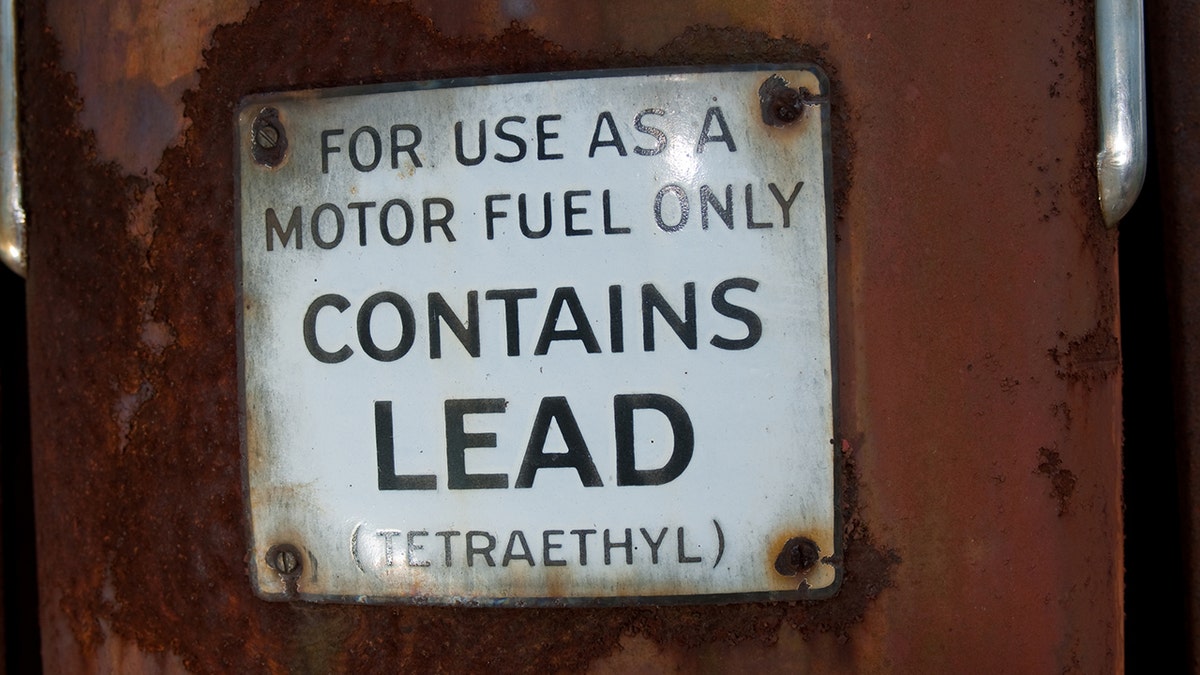
Researchers from Duke University and Florida State University studied the impact of lead in gasoline, which was first added in 1923 to help keep car engines healthy. (It was later banned from all U.S. vehicles in 1996.)

People born from the mid-1960s to mid-1970s are thought to have had the highest exposure.

GIVING THANKS CAN MAKE YOU HAPPIER AND HEALTHIER, EXPERTS SAY

The findings revealed that childhood exposure to car exhaust from leaded gas resulted in an imbalance of mental health in the U.S., which made “generations of Americans more depressed, anxious and inattentive or hyperactive,” according to a Duke press release.

The study, which was published in the Journal of Child Psychology and Psychiatry, attributed an estimated 151 million cases of psychiatric disorders over the past 75 years to leaded gas exposure in American children.

“The generation with the greatest lead exposures, Generation X (1965-1980), would have seen the greatest mental health losses,” according to the researchers. (iStock)

Americans born before 1966 experienced “significantly higher rates of mental health problems as a result of lead, and likely experienced changes to their personalities that would have made them less successful and resilient in life,” the researchers wrote.

‘No safe level’

Lead is “neurotoxic” and can erode brain cells and alter brain function – therefore, there is “no safe level of exposure at any point in life,” according to Duke.

While young children are especially vulnerable to the effects, the researchers noted, “No matter what age, our brains are ill-equipped for keeping lead toxicity at bay.”

“Lead has played a larger role in our mental health than previously thought.”

Lead study author Aaron Reuben, PhD, wrote in a statement that humans are “not adapted to be exposed to lead at the levels we have been exposed to over the past century.” 

“We have very few effective measures for dealing with lead once it is in the body, and many of us have been exposed to levels 1,000 to 10,000 times more than what is natural,” he added.

Car packed and ready to go in background for family vacation in 1957

Researchers say anyone born before 1966 had “concerningly high lead exposures as children.” (iStock)

‘Clinically concerning’

The researchers analyzed historical data on childhood blood-lead levels, leaded gas use and U.S. population statistics, determining that more than 170 million Americans had “clinically concerning levels” of lead in their blood as children as of 2015.

Lead exposure resulted in greater rates of mental disorders like depression and anxiety, but also more “mild distress that would impair quality of life.”

ULTRA-PROCESSED FOODS MAKE UP 60% OF AMERICA’S DIET, WHO’S AT BIGGEST RISK

“We saw very significant shifts in mental health across generations of Americans — meaning many more people experienced psychiatric problems than would have if we had never added lead to gasoline,” co-author Matt Hauer said in a statement.  

This likely resulted in lower IQs, mental health problems and other long-term health complications, like cardiovascular disease, the study suggests.

lead gas at a gas station

Exposure to lead can impair brain development and health, especially in children, experts say. (iStock)

In a conversation with Fox News Digital, Reuben reiterated how mental health in America was “likely significantly influenced by Americans’ exposure to lead over the past century.”

“Declining lead exposures were likely met by improving mental health,” he said. “Lead has played a larger role in our mental health than previously thought.”

LIFE EXPECTANCY IN HUMANS NOT LIKELY TO INCREASE MUCH MORE, STUDY SUGGESTS

While the researcher said he was not surprised to find that lead caused harm, he was surprised by the “magnitude” of its effect.

“We assume that our ‘lead problem’ was solved in the 1970s and 1980s, but that was just the start of solving the problem,” he said.

Elderly man talking to a psychologist

“Lead has played a larger role in our mental health than previously thought,” a researcher told Fox News Digital. (iStock)

“There are millions of Americans alive today who had extremely high lead exposure as children. How have those exposures influenced the trajectories of their lives? This is one thing we set out to answer.”

Reuben pointed out some limitations of the study, including that it only included two cohorts and that it did not study exposures from other sources besides gasoline.

CLICK HERE TO SIGN UP FOR OUR HEALTH NEWSLETTER

“As time goes on, we hope that more lead-mental health studies become available for us to improve our estimates based on better lead-harm curves,” he said. “Future studies should ideally be able to incorporate lead exposure from water and paints.”

Filling gas cans

“We are coming to understand that lead exposures from the past – even decades in the past – can influence our health today,” a researcher wrote in a statement. (Getty Images)

The expert urged the public to take lead exposure seriously by removing hazards that still exist in some paint, fuel, batteries and other mediums.

“There are millions of Americans alive today who had extremely high lead exposure as children.”

The U.S. Environmental Protection Agency (EPA) issued a regulation in October 2024 giving cities 10 years to replace any remaining lead plumbing.

The agency also took action in January 2024 to lower the levels of lead in soil at residential homes across the country.

For more Health articles, visit foxnews.com/health

In an interview with Fox News Digital, child psychologist Dr. Michele Borba noted that the current youth mental health crisis in America has been largely attributed to social media, but that this new study on lead exposure explores a “new realm” of what could be behind deteriorating mental health. 

family driving in a car

Experts may be “overlooking” the long-lasting impacts of lead exposure on the mental health of today’s adults, one expert said. (iStock)

“It’s an unusual and fascinating reason that most of us have never been prepared for or even thought of – but it isn’t just children’s mental health and well-being at stake,” she said.

CLICK HERE TO GET THE FOX NEWS APP

“We may be overlooking other generations and the long-lasting impact of lead exposure.”

Borba commented that while more research is required on the topic, she recommends that other mental health experts take lead exposure into consideration when treating patients.

Flight passengers dive into myths and legends surrounding this busy airport

0

Join Fox News for access to this content

You have reached your maximum number of articles. Log in or create an account FREE of charge to continue reading.

By entering your email and pushing continue, you are agreeing to Fox News’ Terms of Use and Privacy Policy, which includes our Notice of Financial Incentive.

Please enter a valid email address.

The Denver International Airport in Denver, Colorado, has caught the attention of many visitors over the years for its history, art and layout of the buildings.

Visit Denver, a platform that markets travel to Denver, has an entire page dedicated to outlining the “myths and legends” associated with the airport.

“From lizard people and space aliens to secret underground bunkers and a cursed horse, Denver International Airport (DEN) has been a magnet for myths and legends since it opened in 1995,” reads the site.

AIRLINE PASSENGER SPARKS DEBATE AFTER BEING SEATED NEAR MASSIVE DOG ON PLANE: ‘COULDN’T MOVE’

The airport is larger than the California city of San Francisco, measuring 53 square miles, according to Fly Denver, while San Francisco is less than 50 square miles, according to Visit California.

The Denver International Airport in Colorado has caught the attention of many visitors for its unusual art, history and massive size. (Photo by Andy Cross/The Denver Post via Getty Images)

Many believe the airport was built by secret societies, citing the dedication capstone, which shows symbols of the Freemasons, a men-only fraternal organization and the New World Airport Commission, which, according to Visit Denver, does not exist. 

Denver is the third-busiest airport in the U.S. with more than 77 million passengers traveling through it in 2023, according to Fly Denver.

“Another related legend is that there are miles of underground tunnels and layer upon layer of secret buildings and bunkers beneath the airport, which the members of the aforementioned secret societies plan to use to ride out the coming apocalypse,” says the site. 

FLIGHT PASSENGERS SITTING IN THIS ROW MUST PASS CERTAIN REQUIREMENTS: WHAT TO KNOW

Displayed around the airport is apocalyptic artwork depicting scenes of death and war, further fueling the curiosity of visitors. 

AIRPORT DENVER CURSE HORSE

A blue horse stands 32-feet-tall, with red glowing eyes, nicknamed “Blucifer” by travelers. (Photo by George Rose/Getty Images)

One of the most controversial pieces of art is a sculpture of the “cursed horse.”

The blue horse statue stands 32-feet-tall, with red glowing eyes, nicknamed “Blucifer” by travelers.

“Some even claim that his glowing red eyes indicate that he represents one of the steeds that will be ridden by the Four Horsemen of the Apocalypse, although [the artist] said they were simply meant to honor the wild spirit of the West,” according to Visit Denver.

For more Lifestyle articles, visit foxnews.com/lifestyle

Gargoyle sculptures are spread through the airport as well.

Social media users have discussed the airport across different platforms, sharing their thoughts behind the myths. 

DENVER CO AIRPORT

Denver is the third-busiest airport in the US with over 77 million passengers traveling through the airport in 2023. (Photo by RJ Sangosti/MediaNews Group/The Denver Post via Getty Images)

“The crazy thing in Denver airport is when you are on the under ground trains, if you keep an eye out the window, you’ll see an absurd amount of tunnels that trail off into the distance. Whats down there,” wrote one person on Reddit.

Another user commented, “I hate how you have to drive right past that ugly blue demon horse ‘Blucifer’ on the way in. Rumor has it that the guy that made that horse was killed when it fell on him.”

“Denver airport is a portal. The weirdest place. You can feel it,” one user posted on X.

CLICK HERE TO SIGN UP FOR OUR LIFESTYLE NEWSLETTER

“Why would someone put frightening images in a place where people are already scared or have anxiety? Fear of flying on planes has already been a thing since people could fly on planes,” posted a Redditor.

One man posted on X, “The Denver airport really is serving Hunger Games core aesthetics.”

CLICK HERE TO GET THE FOX NEWS APP

Fox News Digital reached out to the Denver International Airport for comment.

Adding laughter to your life can boost health and healing, experts say

0

Wonder why you feel better after a good laugh? 

There’s reliable evidence that laughter improves various aspects of mental, emotional and physical health. 

If you’re experiencing stress, pain or challenges to your immune system, finding ways to incorporate laughter into your daily life could be an effective remedy. 

DO WOMEN NEED MORE SLEEP THAN MEN? HERE’S WHAT EXPERTS THINK 

Health experts say humor and giggles can be good medicine — and that’s no joke.

Why laughter matters

Simple and actionable steps to add more smiles to your life can make a difference. 

“People often overlook the benefits of laughter,” said one doctor. “Research shows that laughter can reduce stress, boost the immune system and even help alleviate pain.”   (iStock)

“When considering lifestyle changes to improve health, people often overlook the benefits of laughter,” Michael Richardson, M.D., a family physician with Carbon Health in Boston, told Fox News Digital. 

“Research shows that laughter can reduce stress, boost the immune system and even help alleviate pain.”  

As a primary care doctor, Richardson encourages patients to prioritize joy in their lives; he said laughter is an excellent way to do so. 

‘LAUGHTER THERAPY’ IS SHOWN TO REDUCE HEART DISEASE RISK IN BRAZILIAN STUDY: ‘EXCITING TO SEE’

“Just as you may set aside time each week for exercise, it may be worth scheduling moments of laughter in your daily or weekly routine,” the doctor said. 

“Making this a regular habit could have a protective effect on overall health.”

How does laughter positively impact the body?

The body is receptive to laughter — here’s how it works. 

There are two parts of the nervous system — the sympathetic and the parasympathetic, said Beth Oller, M.D., a family physician with Rooks County Health Center in Stockton, Kansas. 

The sympathetic nervous system is responsible for fight-or-flight responses, “which are activated all too often in many of us, with all the things to worry about in our world today.”

Grandma laughing

Over-activation of the sympathetic nervous system can increase the risk of heart disease, cancer, obesity and other illnesses, an expert said. (iStock)

Over-activation of the sympathetic nervous system can increase the risk of heart disease, cancer, obesity and other illnesses, Oller said.

“On the other hand, our parasympathetic nervous system is the one that calms our body down — and exercise, meditation, deep breathing and laughing can activate this system,” the doctor continued. 

“Laughing decreases the stress hormone cortisol, which helps reverse the stress response.”

“Laughter is free, lacks side effects, and has psychological and physical benefits.”

Some early research has found that laughter decreases stress hormones, reduces artery inflammation and increases HDL, which is the “good cholesterol,” said Oller. 

“Laughter has been associated with a lower prevalence of cardiovascular disease by increasing blood flow and oxygen intake,” the doctor added. “Laughter promotes vasodilation, which leads to improved blood flow and enhances circulation.” 

FATHER OF THE BRIDE FORGETS HIS OWN DAUGHTER IN WEDDING-DAY ‘FUMBLE’

It has also been shown that laughter can help alleviate pain by releasing endorphins, stimulating circulation and relaxing the muscles, Oller added.

Laughing can even add years to your life, the expert noted: “It has been found that regular laughing is associated with reduced all-cause mortality.”

The role of laughter in mental health

The psychological benefits of laughter have been researched for some time, according to Sara Brides, a licensed clinical social worker who treats patients at Novant Health Cancer Institute in Winston-Salem, North Carolina.

“Laughter can reduce stress,” she told Fox News Digital. “Our brains can cope with stress; however, remaining in a stress response for prolonged periods of time is not healthy.”

“One way to increase spontaneous laughter is to intentionally spend time with those you enjoy and who naturally make you laugh.”

When someone laughs — particularly when it’s spontaneous or genuine laughter — endorphins are released, cortisol (the stress hormone) decreases, and dopamine and serotonin (the happy hormones) increase.

“Dopamine is associated with a sense of reward, pleasant sensations and motivation, and serotonin is associated with happiness, decreased depression and anxiety, and learning and motivation,” Brides added. 

Family laughing TV

“Watch shows that make you laugh, and don’t be afraid to laugh out loud,” an expert advised. (iStock)

Lightheartedness and joy can also be a bridge to better social outreach.

“One way to increase spontaneous laughter is to intentionally spend time with those you enjoy and who naturally make you laugh,” Brides said.

Long-term benefits

A quick dose of humor is a good start, but consistent laughter could have the following long-term benefits, according to Mayo Clinic.

Immune system boost

Negative thoughts may manifest into chemical reactions that can affect the body by bringing on more stress, according to the Mayo Clinic, which means laughter could be a remedy for better health.

CLICK HERE TO GET THE FOX NEWS APP      

Improved outlook

Laughter can also make it easier to cope with difficult situations and to reach common ground with others, stated the same source. 

CLICK HERE TO SIGN UP FOR OUR HEALTH NEWSLETTER

Lighter mood

Laughter can help lessen stress, depression and anxiety, and may make you feel happier by boosting your self-esteem, per Mayo Clinic. 

Finding ways to add humor

Like many things in life, humor is a skill, said physician Oller in Kansas — and to develop a skill, practice is key.

She suggested surrounding yourself with people who are positive and make you laugh — or finding your own way to humor. 

Comedy show

Going to a comedy show is a great way to boost “laughter therapy,” experts say. (iStock)

“Simple ways include watching or reading something funny,” the therapist said. “There is now even a practice called laughter yoga, focused on breathing and simulating laughter.”

“Watch shows that make you laugh, and don’t be afraid to laugh out loud. Go to a funny movie or a comedy show,” Oller suggested. “My favorite way to guarantee a lot of laughing out loud is playing funny board games with friends and family.” 

For more Health articles, visit www.foxnews.com/health

Brides, the therapist, also stressed the importance of finding ways to insert joy and laughter into life. 

“Laughter is free, lacks side effects, and has psychological and physical benefits.”

Conservative group compiles list of “woke” senior officers they want Pete Hegseth to fire

0

As Pete Hegseth continues to rally support for his nomination to lead the Department of Defense, a conservative research group has compiled a list of “woke” senior officers they want him to sack should he be confirmed to lead the Pentagon.

In a letter obtained by Fox News Digital, the American Accountability Foundation (AAF) sent a letter to Hegseth with a list of 20 general officers or senior admirals whom it says are excessively focused on Diversity, Equity and Inclusion (DEI) and other similar left-wing initiatives. Eight of those 20 are women.

Those on the list in many cases seem to be targeted for public comments they made either in interviews or at events on diversity, and in some cases for retweeting posts that promote diversity. AAF says that focusing on such policies is an impediment to national security, while some miliary leaders have expressed concern about the list.

DOZENS OF PROMINENT VETERANS SIGN ONTO LETTER SUPPORTING ‘OUTSTANDING’ HEGSETH NOMINATION AMID CONTROVERSIES

Pete Hegseth, President-elect Donald Trump’s nominee to defense secretary, is seen before a meeting with Sen. Rick Scott, R-Fla., in Hart building on Dec. 5. (Tom Williams/CQ-Roll Call, Inc via Getty Images, left, US Army, right.)

“The woke takeover of the military is a major threat to our national security,” AAF President Thomas Jones wrote in the letter to Hegseth dated Tuesday and first published by the New York Post.

“As global tensions rise, with Iran on the march, Russia at war, and China in the midst of a massive military buildup, we cannot afford to have a military distracted and demoralized by leftist ideology,” he added. “Those who were responsible for these policies being instituted in the first place must be dismissed.”

The term “woke” is often used in reference to progressive, politically correct stances on race, gender ideology and other hot-button topics.

The group posted on X that the woke leaders need to be fired on day one. “Wokeness has no place in the military,” the group wrote. 

On Friday, the AAF doubled down on its position. 

“Many don’t want to hear this, but it’s the truth: DEI in the military is going to get people killed. STOP IT NOW BEFORE IT’S TOO LATE,” AAF posted on X.

Hegseth, a former Minnesota National Guard officer who served in Iraq and Afghanistan, has embraced Trump’s effort to end programs that promote diversity in the ranks and fire those who reflect those values. He has long railed against the military embracing DEI policies instead of meritocracy, complaining it also diverts focus away from war preparedness. 

TRUMP FLOATS DESANTIS AS POTENTIAL DEFENSE SECRETARY REPLACEMENT IF HEGSETH FALTERS

Pete Hegseth

Pete Hegseth, President-elect Donald Trump’s nominee to be defense secretary, is joined by his wife Jennifer Rauchet, as they walk through the basement of the Capitol, Wednesday, Dec. 4, 2024, in Washington. (AP Photo/Mark Schiefelbein) (AP Photo/Mark Schiefelbein)

If confirmed to the role, Hegseth would be in charge of 1.3 million active-duty service members and the nearly 1 million civilians who work for the military.

Some of those on the list include Air Force Col. Ben Jonsson, who penned an op-ed in July 2020 demanding his white colleagues “to give a damn” and “address our blind spots around race,” according to the letter.

Also in the AAF crosshairs is Navy vice admiral Jeffery Hughes, who spoke at DEI summit in 2022 and underscored the importance of DEI recruiting “exceptional talent.”

Air Force Maj. Gen. Elizabeth Arledge also made the list and was noted by AAF for making “woke posts” on her social media.

In one post, Arledge shared articles that featured “discussions of whiteness in org[anization] theory and the ways in which whiteness (verb) has become naturalized as the ideal in orgs.”

Navy Vice Admiral Shoshana Chatfield was also listed and panned for a 2015 speech where she bemoaned that lawmakers in the House of Representatives at the time were 80% males, proclaiming that “our diversity is our strength.”

Navy vice admiral Shoshana Chatfield

Navy vice admiral Shoshana Chatfield was one of 20 people on the list. (Noam Galai/Getty Images for Ellis Island Honors Society))

Karoline Leavitt, a spokesperson for the Trump transition team, said in a statement that “No policy should be deemed official unless it comes directly from President Trump.”

A defense official who spoke on condition of anonymity because of the sensitivity of the list said senior leaders are hoping that once Trump is sworn in, they will be able to discuss the issue further. They are prepared to provide additional context to the incoming administration, the official told The Associated Press, which reports it is not publishing the names to protect service members’ privacy.

Former Defense Secretary Chuck Hagel said Friday that the list would have “considerable, wide and deep consequences.” He said when military members see people singled out, they will start focusing on their own survival rather than the mission or their job.

CLICK HERE TO GET THE FOX NEWS APP

Multiple sources confirmed to Fox News that Trump is reportedly considering nominating Republican Florida Gov. Ron DeSantis as defense secretary in place of Hegseth amid allegations against him.

But Hegseth brushed off the potential replacement, telling reporters that he was prepared to fight. 

“As long as Donald Trump wants me in this fight, I’m going to be standing right here in this fight, fighting to bring our Pentagon back to what it needs to be,” he said. 

The Associated Press contributed to this report. 

READ THE LETTER BELOW. APP USERS CLICK HERE.

Wedding of paramedics takes place with ambulance as backdrop: ‘Felt only right’

0

Two paramedics tied the knot recently with an unusual backdrop for their marriage ceremony.

Wayne Marshall, 37, of Castle Douglas Station, and his new bride, Sarah Marshall, of Newton Stewart Station, wed at the Creebridge House Hotel with an ambulance behind them.

The couple both work for the Scottish Ambulance Service in Dumfries and Galloway in Scotland.

THE 6 MOST COMMON HEADACHE TYPES — AND WHEN TO SEE A DOCTOR

Said Wayne Marshall of the couple’s experience, “It was a fantastic day and great to spend it with friends, family, co-workers, both past and present,” as news outlet SWNS reported.

He said that “the whole day was amazing.”

Wayne and Sarah Marshall during their wedding ceremony. They used a non-operational ambulance as a backdrop. (SWNS)

For one thing, the couple “managed to trick our guests into thinking we had lost the rings, only for one of them to find them under her chair,” he said.

Wayne Marshall has been with the health care service for over eight years — five as a technician, three as a paramedic, the same source reported.

FAMILY OF CHILD WITH DOWN SYNDROME WENT FROM SHOCK TO GRATITUDE: ‘LOST THE AIR IN MY CHEST’

“As we met through the service, it felt only right to have an ambulance there for some photos,” he said.

The wedded couple were able to make use of a non-operational ambulance in the background, SWNS also noted.

Wayne and Sarah Marshall pose for a photograph with friends and family on their wedding day.

“It was a fantastic day and great to spend it with friends, family, co-workers, both past and present,” groom Wayne Marshall said. (SWNS)

“Thankfully, an off-duty colleague was happy to oblige to bring a non-operational vehicle up for the occasion,” said Marshall.

“We each have a deep understanding of the job and [its] challenges.”

The pair became friends quickly once they met on the job.

CLICK HERE TO SIGN UP FOR OUR HEALTH NEWSLETTER

Speaking about sharing their relationship and the same job, Sarah Marshall said, “We each have a deep understanding of the job and the challenges that we may face during difficult shifts.”

For more Health articles, visit www.foxnews.com/health

She added, “Our friends and colleagues weren’t surprised and have been supportive of our relationship.”

She said they are “both equally at home at each station and are pleased that as many colleagues came to the wedding as possible.”

Wayne and Sarah Marshall were accompanied on their wedding day by Archie, the couple's cockapoo.

Wayne and Sarah Marshall were accompanied on their wedding day by Archie, their cockapoo. (SWNS)

They were not only joined on their happy day by family and friends, but by their cockapoo, Archie — who was appropriately dressed for a Scottish wedding, said SWNS.

CLICK HERE TO GET THE FOX NEWS APP  

Among the comments that have come in on social media about the wedding is this one-word reaction: “Beautiful!”